

 ChatGPT
 Perplexity AI
 Claude
Wondering how to make the best administrative officer resume example for 2026? You’re not alone. From office administration to executive support, this role covers a lot of ground.
In this guide, you’ll see real administrative officer resume samples, along with quick breakdowns of why each one works (and where it misses the mark). You’ll also get practical resume writing tips, examples you can borrow from, and simple templates you can tailor to your own experience.
And if you’re starting from scratch, you’ll find a detailed step-by-step guide that walks you through the whole process.
The best administrative officer resume example for 2026


Note: The preview above shows only the first page of this resume. Click on the sample to view the full multi-page version with all sections or scroll down for a full text version.
What makes this administrative officer resume example work?
- Strong use of action verbs: Phrases like managed, coordinated, developed, implemented, reviewed, and assisted make the experience section feel active and credible.
- Real, quantifiable details: Supporting payroll for 50+ employees gives the resume concrete proof of performance.
- Multilingual ability: Listing proficiencies in four languages can be a major plus in organizations that interact with global teams, clients, or vendors.
- Professional certification: The Certified Business Office Manager credential adds formal validation of administrative knowledge and best practices.
- Professional recognition: Being awarded Employee of the Month twice speaks for the candidate’s reliability, strong performance, and consistency.
- Relevant tools and office software: Microsoft Office, CRMs, communication tools, and collaboration platforms show the candidate can work in a modern office environment.
How can this administrative officer resume example be improved?
- More impact, less task-listing: Many bullets describe what the candidate did, but not what those actions achieved.
- Profile relies on vague traits: Terms like “exceptional organizational capabilities” or “keen attention to detail” don’t stand out. Replacing them with one or two specific strengths tied to real results would be more effective.
- Some tools aren’t core administrative priorities: Trello, Dropbox, or Wufoo are useful, but not key differentiators. Placing essential tools (Microsoft Office, CRM platforms) first would strengthen the section.
- Older or less relevant details could be omitted: The IB program and school clubs don’t add much value for a professional-level admin resume and could be condensed or removed to keep the focus on experience.
- Soft skills can be demonstrated through accomplishments instead of stated directly: Instead of listing traits like “Ability to work under pressure” or “Organizational Skills,” the resume could let those qualities show through examples.
Analyzing relevant examples is the best way to get familiar with resume writing and see first-hand what looks good on a CV and what doesn't. For that reason, we'll check out 9 more administrative officer resume samples.
If any of these designs catch your eye, just click on the image and start customizing the content to fit your needs.
Assistant office manager resume sample

Note: The preview above shows only the first page of this resume. Click on the sample to view the full multi-page version with all sections or scroll down for a full text version.
What makes this assistant office manager resume work?
- There’s a quantifiable result that actually shows impact: The claim that organized document management contributed to a 55% increase in office efficiency is the strongest part of this resume. It’s specific, measurable, and gives hiring managers a clear idea about the candidate’s contribution instead of generic “improved processes” language.
- Credible certification and education: The Certified Business Office Manager credential pairs nicely with a 3.98 GPA and top-5% ranking. For an early-career candidate, this combination reveals that they have both discipline and professional interest.
How can this assistant office manager resume be improved?
- The profile leans too heavily on buzzwords: Phrases like “results-driven,” “exceptional analytical abilities,” and “meticulous attention to detail” don’t add much because they’re common filler. This section would be stronger if it highlighted one or two real strengths or outcomes.
- Early education takes up too much space: The Gymnasium details, awards, and club activities push the resume toward unnecessary length without adding much value for a professional admin role. Those accomplishments were strong at the time, but they’re no longer relevant compared to recent work experience and current skills.
Office manager resume template

Note: The preview above shows only the first page of this resume. Click on the sample to view the full multi-page version with all sections or scroll down for a full text version.
What makes this resume example work?
- Excellent use of action verbs: Terms like provided, managed, engaged, spearheaded, collaborated, and executed give the work history that extra something recruiters look for. These verbs make the responsibilities feel intentional rather than passive.
- The job descriptions cover the core administrative responsibilities: Between supporting 80+ employees, handling onboarding, managing inventory, preparing reports, assisting executives, and overseeing mail and AP/AR, the resume hits nearly every major admin responsibility. A hiring manager can scan the experience section and immediately understand the candidate’s scope of work.
How can this resume example be improved?
- The profile section is too long: The problem is that it tries to cover everything and ends up being too cramped. A tighter summary focused on one or two strengths (like supporting large teams or improving operations) would be more effective than general statements about being “highly accomplished” or having “exceptional analytical abilities.”
- The hobbies section is redundant: “Exploring distant lands” and “Getting lost in a good book” don’t help strengthen an administrative application and take up space that could be used for more relevant details.
Front office assistant resume example

Note: The preview above shows only the first page of this resume. Click on the sample to view the full multi-page version with all sections or scroll down for a full text version.
What makes this office assistant resume example work?
- Employee of the Month recognition: For someone with relatively limited professional experience, being recognized for a 25% reduction in office operating costs is a great way to show reliability and the ability to achieve tangible results. Hiring managers will understand that the candidate contributes meaningfully, even in an early-career role.
- Relevant computer and office skills: Tools like Microsoft Office, Asana, Bitrix24, QuickBooks, and Expensify prove that this candidate is ready to handle office operations. These are practical skills that can be applied immediately, which strengthens the candidate’s profile despite limited work history.
How can this office assistant resume example be improved?
- Interpersonal skills aren’t shown in context: The resume lists traits like Good Team Player and Communication Skills, but they aren’t proved through actual tasks or achievements. For example, showing how the candidate collaborated with colleagues, coordinated meetings, or resolved client inquiries would make these skills tangible.
- Work experience could emphasize impact over routine duties: Many bullets describe standard front office tasks but don’t always connect them to results. Highlighting measurable outcomes or improvements (like the cost reduction for supplies) across more responsibilities would make the experience section more persuasive.
Administrative manager resume sample

Note: The preview above shows only the first page of this resume. Click on the sample to view the full multi-page version with all sections or scroll down for a full text version.
What work about this administrative manager resume example?
- Repeated use of quantifiable data: This resume shines in showing scope. For example, reducing projected enrollment loss from 30% to under 5%, securing over $2 million in donations, and increasing enrollment by 10% are concrete achievements that clearly demonstrate their effectiveness.
- Work experience focuses on real impact: Each role highlights outcomes, not just tasks. Whether it’s transforming school culture, implementing technology updates, or leading large student trips, the resume consistently shows how the candidate’s actions produced meaningful results.
What can be improved here?
- The music education entry adds little value for the target administrative roles: While impressive, the band director and music teaching experience doesn’t support administrative, leadership, or operational skills relevant to office or school administration.
- Strengths section is too unfocused: Listing everything from “Innovation” and “Presentations” to “WordPress & SEO” makes it harder to see core technical competencies. Narrowing this to hard skills directly tied to administration and operational management would make it more memorable.
Administration manager resume example

Note: The preview above shows only the first page of this resume. Click on the sample to view the full multi-page version with all sections or scroll down for a full text version.
What work about this administrative manager resume example?
- Consistent structure across all bullets: Each point follows the same construction: action → task → context or result. This consistency makes the section visually tidy and helps the strongest achievements stand out naturally without changing the format.
- There’s enough white space between sections to keep the page breathable: Nothing feels jammed together. The spacing around each section gives the eye a natural pause, which helps the reader absorb the information quickly. This makes the whole resume pleasant to scan even on a quick first pass.
What can be improved here?
- The volunteering entry lacks context that would show transferable value: “Social Media Account Manager” sounds promising, but there's no detail about what was actually done. A single line of context (e.g., audience size, engagement growth, or content produced) would help the experience feel concrete instead of ornamental.
Assistant secretary resume sample

Note: The preview above shows only the first page of this resume. Click on the sample to view the full multi-page version with all sections or scroll down for a full text version.
What works
- The contact information is immediately visible: Everything you need is right at the top in a simple format. No clutter, no scanning around the page.
- Including a driver’s license adds practical value: For some assistant or office-support positions, driving between locations, handling deliveries, or supporting executives off-site can be part of the job. Listing the license shows forethought and removes ambiguity. (As always, worth confirming against the job ad.)
What doesn't work
- The profile is full of generic descriptors: Phrases like “highly driven,” “exceptional communicator,” and “strong aptitude” don’t help differentiate the candidate. Replacing some of these with one or two crisp, demonstrable strengths would make the summary more compelling.
- The interpersonal skills list is too broad: Skills like “Good Team Player” and “Time Management” are expected baseline traits and don’t say anything specific about how the candidate works. This section could be stronger with more role-relevant capabilities such as calendar coordination, document accuracy, vendor communication, or CRM proficiency.
Administrative intern resume sample

Note: The preview above shows only the first page of this resume. Click on the sample to view the full multi-page version with all sections or scroll down for a full text version.
What work about this administrative intern resume example?
- Internship used as core work experience: For a student or early-career candidate, this is exactly what employers want to see. The bullets show real responsibilities and even some scale (coordinating schedules for 10+ employees). It makes the experience feel substantial instead of “just an internship.”
- The Leadership & Management certificate: Certifications carry more weight for candidates with limited experience, and this one vouches for initiative and some grounding in professional skills. It helps bridge the gap between academic learning and workplace capability.
What can be improved here?
- The profile should mention the certificate: Students need to capture attention quickly, yet the summary stays generic and doesn’t use the strongest assets (GPA, academic award, or the certificate). Pulling one of these into the profile would immediately add substance.
- The education section could go deeper on the degree: Listing the high school adds little at this stage. Far more useful would be highlighting relevant coursework (e.g., business analytics, marketing strategy), major projects, or a capstone (anything that shows applied skills).
Office assistant resume example

Note: The preview above shows only the first page of this resume. Click on the sample to view the full multi-page version with all sections or scroll down for a full text version.
What works
- The skills are grouped into sub-sections: Breaking skills into Professional skills, Languages, and Strengths makes everything easier to scan. Hiring managers can immediately spot technical abilities (Excel, bookkeeping), without digging through the page.
- The apprenticeship section is genuinely valuable: Apprenticeships often end up vague, but this one outlines specific coursework (advanced Excel, project administration, process optimisation) and even lists the final project. It’s rare to see an apprenticeship framed with this much academic and practical context .
What doesn't work
- Including a photo is risky (depending on the country): UK employers, for example, generally discourage photos because they introduce bias into the hiring process. Since this resume spans multiple countries and systems, it’s safer to avoid photos unless the local standard explicitly calls for one. Always check country-specific expectations before adding a headshot.
HR administrative assistant resume example

What works
- Using the full job title: “HR Administrative Assistant” is spelled out clearly, which helps applicant-tracking systems match the role to HR-related job descriptions. Early-career candidates often skip or shorten titles, so this level of precision is a plus.
- The whole resume fits neatly on one page without feeling cramped: For a recent graduate transitioning into HR, a single page is ideal. The layout stays readable, the sections are logical, and nothing feels padded.
What doesn't work
- Strengths could be reframed as demonstrated abilities rather than isolated words: Right now they read like labels: Action Oriented, Strategic Planning, Multitasking. Turning at least a few into short proof points (“Facilitated communication between administrators and student groups,” “Managed multiple campus projects under tight timelines”) would carry far more weight and make them feel earned, not self-declared.
How to write the best administrative officer resume for 2026 in 7 steps
If starting from scratch feels easier than tweaking someone else’s resume, we've got you. Go ahead and grab one of our professionally designed templates and follow these 7 steps to build an administrative officer resume that stands out:
- Craft an easy-to-find administrative officer resume header
- Write a profile summary that shows value
- Highlight the right administrative skills
- Make your work experience the focal point
- Show education and certifications that matter for administrative professionals
- Add optional sections to strengthen your application
- Keep formatting clean and ATS-friendly
1. Craft an easy-to-find administrative officer resume header
Your resume header sits at the very top and its only goal is to make it simple for a recruiter to contact you.
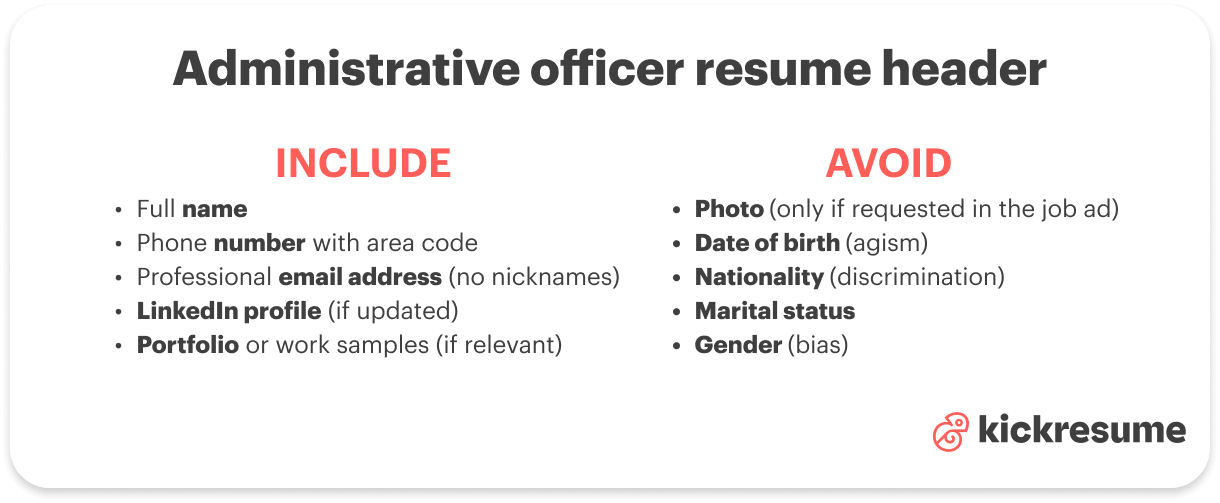
At a minimum, include:
- Full name so the recruiter immediately knows who you are
- Phone number with area code for quick contact
- Professional email address minus nicknames or casual handles
- LinkedIn profile if it’s up-to-date and highlights your administrative experience
- Portfolio or work samples if you have reports, presentations, or office projects that show your skills
And just as important, leave off anything that doesn’t matter for the job or could create bias and doesn’t help you land the role.
What you should LEAVE OUT:
- Photo
- Date of birth
- Nationality
- Marital status
- Gender
2. Write an administrative officer profile summary that shows value
Your profile summary (also called a resume summary or resume objective) is the short paragraph that sits right under your header.
Its purpose is to convince a hiring manager to keep reading. You only have 4-5 lines to grab attention, so every word should count.
A strong administrative officer summary should include:
- Years of experience in office or administrative roles
- Job title (Administrative Officer, Office Coordinator, Office Manager, etc.)
- Measurable achievements like cost savings, process improvements, or efficiency gains
- Relevant certifications such as Certified Business Office Manager
- Key office skills like calendar management, payroll, document control, or CRM software
- Connection to the company to show you’ve done your homework, whether it’s the company size, industry, or values
Check out these two examples to see what works better and what doesn't work at all:
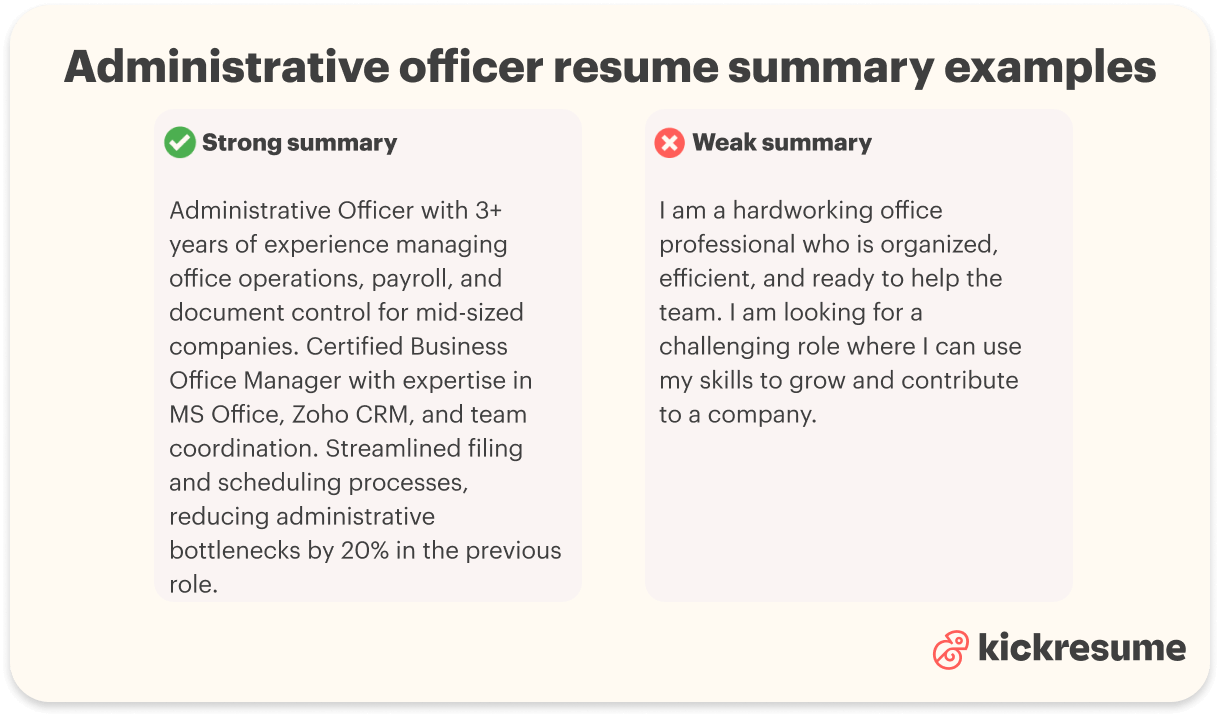
Bad administrative officer summary example
I am a hardworking office professional who is organized, efficient, and ready to help the team. I am looking for a challenging role where I can use my skills to grow and contribute to a company.
Why this doesn’t work: This example is way too generic. There’s no specific experience, measurable achievement, or mention of the company. It could apply to almost any office role.
Good administrative officer summary example
Administrative Officer with 3+ years of experience managing office operations, payroll, and document control for mid-sized companies. Certified Business Office Manager with expertise in MS Office, Zoho CRM, and team coordination. Streamlined filing and scheduling processes, reducing administrative bottlenecks by 20% in the previous role.
Why does this work so much better? Because it highlights relevant experience, lists key administrative skills, shows a quantifiable impact, and positions the candidate as someone who can deliver immediate value. The summary is focused, concise, and tailored to the role.
3. Highlight the right administrative skills
The strongest administrative officer resumes are the targeted ones. That's why each and every resume you send out needs to be carefully customized.
How to pick the right administrative skills? Here's a quick GUIDE:
- Study the job description carefully: Look for the skills and tools the employer mentions repeatedly.
- Compare those requirements with your own abilities: Only include the ones you can confidently demonstrate.
- Prioritize skills that solve real problems: Skills that streamline operations, improve accuracy, or save time instantly make you more relevant to the hiring manager.
Once you do that, your skills section becomes focused and persuasive.
Top 10 administrative officer resume skills:
- MS Office (Word, Excel, PowerPoint)
- Google Workspace (Docs, Sheets, Drive)
- Calendar & schedule management
- Document preparation & filing systems
- Financial administration (invoicing, payroll support, expense tracking)
- Customer & internal communication
- Meeting coordination & event planning
- CRM systems (Salesforce, Zoho, HubSpot)
- Process improvement & workflow optimization
- Time management & prioritization
If you want to make your skills section even better, break your skills into sub-categories to make them easier to scan. For example:
- Technical Tools: MS Office, Google Workspace, Trello, Asana, CRM systems
- Administrative Skills: Scheduling, filing, data entry, reporting
- Financial Administration: Budget tracking, invoicing, payroll support
- Languages: English, Punjabi, French, Mandarin
AVOID generic skills that add no value:
- “Hardworking” or “team player” without context
- “Detail-oriented” without proof
- Skills unrelated to the administrative role
Julia Belak, Certified Professional Résumé Writer, comments:
I see many resumes having the same problem — packing their skills section with interpersonal skills like "communication" or "teamwork." Of course, there isn't anything wrong with listing them in a separate section. But the thing about soft skills is that you don’t need a certificate for them, so anyone can claim they’re “creative” or “innovative.” That’s why soft skills are most convincing when you demonstrate them throughout the work experience section. For example: “Led a cross-functional team to deliver a project ahead of schedule,” which shows communication and leadership far more effectively than just listing those words.
4. Make your work experience in administration the focal point
For administrative officers, the work experience section is the place to show that you can manage operations, coordinate schedules, handle communications, and keep an office running smoothly.
And just like your skills section, it has to be tailored to reflect what the employer highlights in their job ad.
If the posting emphasizes calendar management, CRM tools, reporting, or workflow optimization, your bullet points need to show that you’ve done those things.
Here’s how to write work experience bullet points that impress:
- Keep it concise: Stick to about 5 bullets per role. Enough to show responsibilities and achievements without overwhelming the reader.
- Be specific: Avoid vague phrases like “assisted with office tasks.” Instead, describe exactly what you did and how it helped the team or organization.
- Lead with action verbs: Words like managed, coordinated, implemented, streamlined, supervised, and facilitated show initiative and ownership.
- Focus on impact, not just tasks: For example, instead of “Handled office inventory,” try “Managed office inventory, reducing supply shortages by 25% and cutting unnecessary expenses by 15%.”
- Include measurable results whenever possible: How many reports you prepared, how many meetings you scheduled, how many employees you supported, or cost/time savings achieved.
- Mirror keywords from the job ad: If the employer mentions “expense tracking,” “CRM software,” “event coordination,” or “document management,” integrate those terms naturally into your bullets to show alignment.
Lets demonstrate these points with specific examples:
Bad administrative officer resume work entry example
Administrative Assistant — XYZ Corp
2019–2021
- Helped with office tasks
- Answered phone calls and emails
- Managed documents
- Did other duties as needed
Why it falls flat: This example offers no context, shows no measurable impact, and leaves the hiring manager wondering what you actually contributed.
Good administrative officer resume work entry example
Administrative Officer — XYZ Corp
2019–2021
- Coordinated schedules and meetings for a 25-person team.
- Managed client communications via email, phone, and CRM, improving response times and customer satisfaction
- Implemented a new filing system for digital and physical documents, cutting retrieval time by 40%
- Tracked and processed office expenses, reducing monthly costs by 15% through optimized vendor management
- Assisted with event planning, including logistics for quarterly staff training sessions attended by 100+ employees.
If you’re still a student, a fresh graduate, or an intern, you probably don’t have all that much professional experience yet. Which isn't as big of a problem as you think. You can still make your experience sound compelling even without a previous full-time job.
Here's what you can write about instead:
- Internships or apprenticeships: Show the tasks you handled and any process improvements, reporting, or coordination you contributed to.
- Academic projects: Highlight team projects or research where you managed schedules, handled documentation, or organized events.
- Volunteer work or campus leadership: Roles like volunteer coordinator can demonstrate administrative, organizational, and communication skills.
- Capstone or training projects: If you completed a final project or practical training, describe what you delivered, the tools you used, and the results.
5. Show education and certifications that matter for administrative professionals
Your education section can either be straightforward or more detailed depending on your experience and the relevance of your degree.
Option 1: Keep it simple
Include just the essentials:
- Degree or diploma
- Institution
- Years of study
Use this approach if:
- You have 4+ years of relevant work experience
- Your degree isn’t directly tied to administrative work
- You want the focus to stay on your professional accomplishments
Administrative officer resume education example (short version)
B.A. in Business Administration, University of Colorado Boulder
2013–2017
Option 2: Add more detail
If you’re early in your career, switching fields, or your degree closely supports the role, you can add:
- GPA (only if above 3.5)
- Relevant courses (e.g., Office Management, Organizational Behavior)
- Academic projects or capstone work
- Awards or honors (Dean’s list, Best Graduate Award)
Administrative officer resume education example (detailed version)
B.A. in Business Administration, University of Colorado Boulder
2013–2017
- GPA: 3.98
- Relevant courses: Office Management, Project Administration, Business Communication
- Capstone project: Developed a streamlined document tracking system for a mock office environment
- Awards: Best Graduate Award (2017)
Certifications can live in their own section or sit under education, especially if they prove your office management skills or compliance knowledge.
Examples of certifications for administrative professionals:
- Certified Business Office Manager (CBOM)
- Certified Administrative Professional (CAP)
- Microsoft Office Specialist (Excel, Word, PowerPoint)
- Project Management Certification (PMP or CAPM)
6. Strengthen your administrative officer resume with optional sections
Optional sections give you a chance to highlight achievements or experiences that don’t fit neatly under work history but still show your value.
When to include optional sections:
- You have relevant activities, projects, or recognition that demonstrate administrative skills.
- There’s space on the page without making it look crowded.
- The section strengthens your case for the role.
When to skip them:
- You’re only adding it to bulk up the resume.
- The content doesn’t clearly relate to administrative work or the company’s needs.
- It feels forced or irrelevant.
For inspiration, here are a few optional sections administrative officers might find useful:
- Volunteering: If you’ve supported office projects or coordinated events.
- Awards: Anything that shows your organizational, leadership, or efficiency skills.
- Certifications: Only if not included elsewhere.
- Projects: Special initiatives you led, process improvements, or internal system upgrades.
- Professional training & workshops: Courses, bootcamps, or seminars that bolster your administrative expertise.
Examples of optional sections on an administrative officer resume
Volunteering
- Office Coordinator, Local Non-Profit, 2022 – Organized volunteer schedules, managed event logistics for 200+ attendees, and streamlined filing systems.
Awards & Recognitions
- Employee of the Month, XYZ Corporation, 2021 – Improved office supply management, reducing costs by 15%.
Certifications
- Certified Administrative Professional (CAP), 2023
- Microsoft Office Specialist: Excel & Word, 2022
Professional Training & Workshops
- Time Management & Office Efficiency Workshop, 2022
- Project Management Basics for Administrative Professionals, 2021
7. ATS-friendly administrative officer resume
Before your resume reaches a real person, it often passes through an ATS (Applicant Tracking System). These systems scan resumes for keywords, skills, and experience that match the job description.
Even a polished, well-written resume can be overlooked if it isn’t ATS-friendly.
7 tips for making your administrative officer resume ATS-ready
- Stick to standard section titles: Use headings like “Work Experience,” “Education,” and “Skills.” Creative alternatives like “My Story” or “Career Highlights” might confuse the software.
- Keep the layout clean: Avoid tables, text boxes, columns, or graphics. ATS software can misread these elements, causing your information to be missed.
- Use keywords from the job posting: Mirror the language the employer uses. If the ad mentions “calendar management,” “office coordination,” or “travel scheduling,” include those exact phrases where relevant.
- Choose simple, readable fonts: Fonts like Arial, Calibri, or Times New Roman work best. Avoid ornate or decorative fonts that ATS might struggle with.
- Save in the recommended format: Word documents (.doc or .docx) are the safest choice for most ATS. PDFs often work too, but check the job posting for guidance.
- Spell out important acronyms: For example, write “Microsoft Office Suite (MS Office)” instead of just “MS Office.” This ensures the system correctly identifies your skills.
- Use a consistent date format: Stick to MM/YYYY (e.g., 06/2021 – 12/2023) or Month YYYY (e.g., June 2021 – December 2023) across all entries.
Mistakes to avoid when writing an administrative officer resume
Even a solid resume can lose impact if it contains errors that recruiters see all the time. Here’s what to watch out for:
- Typos, sloppy writing, or unclear phrasing: Read your resume out loud, run a spell-check, and if possible, have someone else glance over it.
- Cramped layout or inconsistent formatting: A cluttered resume with tiny fonts, mixed styles, or uneven spacing is hard to scan. Keep headings clear, use white space, and stick to concise bullet points rather than long paragraphs.
- Sending the same resume to every job: Tailor your resume to reflect the specific tasks, tools, and responsibilities mentioned in the job posting.
- Including outdated or irrelevant information: Old jobs, school projects, or skills you haven’t used in years can distract from your strengths.
- Ignoring keywords from the job ad: ATS software and hiring managers look for specific language.
- Messy or inconsistent dates: Use a consistent format like MM/YYYY or Month YYYY for all roles.
Average salary and job outlook for administrative officers
Administrative jobs are expected to grow by 4% between 2024 and 2034. Each year, approximately 36,400 administrative jobs are expected to open. (Source: U.S. Bureau of Labor Statistics).
Average US base salaries across popular Administrative roles:*
- Administrative Clerk: $44,819/year
- Facilities Manager: $77,912/year
- Front Desk Receptionist: $34,812/year
- Office Manager: $64,612/year
- Personal Assistant: $49,392/year
*Salary estimates are based on data submitted anonymously to Indeed by individuals working in these roles.
Salaries in administrative professions can vary significantly across roles in this field. If you’re considering a career in administration, explore and compare your options carefully (ideally, using various trustworthy sources).
