AI Resume Bullet Points Generator

Generate bullet points based on your actual job.

The AI Resume Bullet Points Generator creates work experience bullet points that actually fit your role. Get resume-ready text that already follows all the "rules" instead of staring at a blank page.

Generate Bullet Points
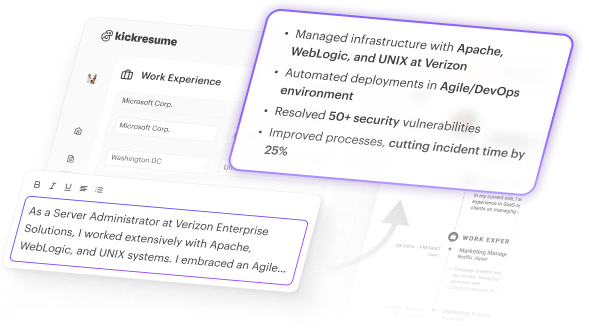
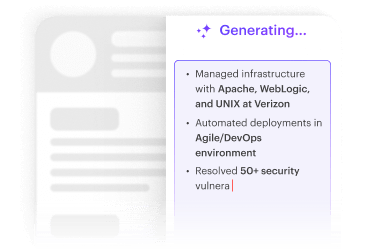
Preview of Kickresume’s AI Resume Bullet Point Generator tool interface generating work experience section bullet points.
Kickresume helps people get hired at the world’s top companies.
  • Google
  • Apple
  • Facebook
  • NASA
  • Nike
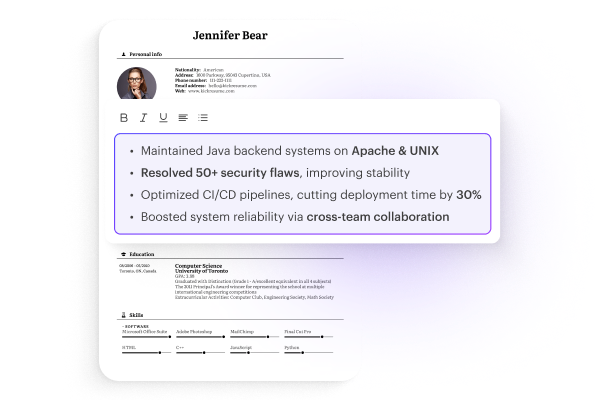
Picture of a resume created using Kickresume’s resume templates highlighting the work experience section with AI-generated bullet points.

Generates bullet points in seconds.

Our AI instantly generates bullet points that follow what recruiters expect: action verbs, quantifiable results, and professional language that gets you noticed—all without spending hours trying to make your job sound impressive.

Generate Bullet Points
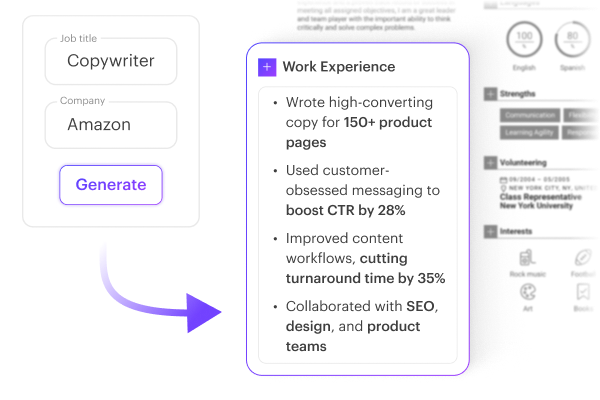
Image showing Kickresume’s AI tool generating tailored work experience bullet points for a Copywriter at Amazon after entering the job title and company name.

Resume bullet points tailored to your job.

Get role-specific bullets that pass ATS screening. Just enter your job title and company name, and the AI generates bullet points that make sense for what you actually did. Instead of generic descriptions that sound like everyone else’s, you get content tailored to your actual job.

Generate Bullet Points
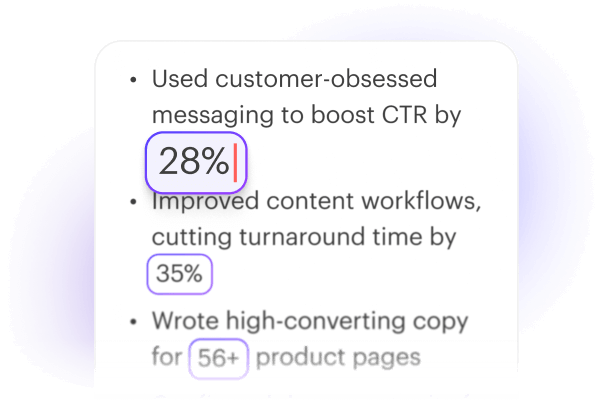
Close-up of AI-generated resume bullet points showing the option to edit and personalize them with your specific information.

Make the bullet points uniquely you.

Use it as-is, fill in your specific numbers, or regenerate the bullets. Take the AI-generated text as your starting point, then add your specific achievements and numbers. Don’t like what you got? Hit regenerate for new options. You can personalize it, use it as-is, or try again until it clicks.

Generate Bullet Points

How our AI Resume Bullet Points Generator works

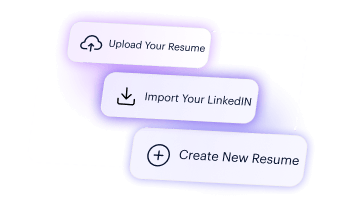
Image shows the first part of a three-step process for using Kickresume’s AI Resume Bullet Point Generator, showing options to create a resume, upload one, or import from LinkedIn.

1. Set up your resume

Import your LinkedIn profile, upload your existing resume, or create a new one in Kickresume and open it.

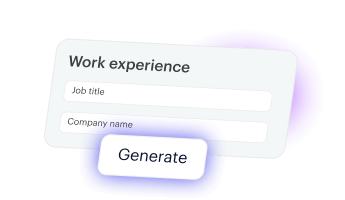
Image shows the second part of a three-step process for using Kickresume’s AI Resume Bullet Point Generator, prompting you to input job title and company name fields in a form.

2. Generate bullet points

In work experience, hit “AI writer“ → “Generate”. Enter your job title and company name.

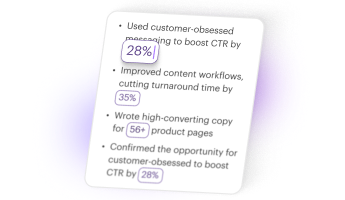
Image shows the third part of a three-step process for using Kickresume’s AI Resume Bullet Point Generator, showing AI-generated bullet points.

3. Make it more you

Personalize with your specific achievements and metrics if needed. Or regenerate completely.

Logo of Open AI, the LLM model that powers the AI Resume Bullet Point Generator by Kickresume.

AI fine-tuned for resume creation.

We’ve trained our AI specifically on resume writing, not just generic text generation. It learned from thousands of real job descriptions and resumes, plus feedback from actual recruiters.

The result? All our AI features, including the AI Resume Bullet Point Generator, follow current hiring trends and industry standards, so you get content that actually helps instead of generic AI fluff. Our AI-powered tools constantly evolve—ensuring that every resume and cover letter gives you the edge over other job seekers.

AI-Generated Resume Bullet Point Examples

See our Bullet Points Generator in action.

These resumes were created using our templates and AI-generated resume bullet points.

Example of a resume which was created with the help of Resume Bullet Point Generator feature by Kickresume
HR manager resume example created using Kickresume resume templates and AI Resume Bullet Points Generator
Customer Service Representative resume which was created using Kickresume's templates and AI Resume Bullet Point Generator feature
Product Marketing Manager resume which was created using Kickresume's templates and AI Resume Bullet Point Generator feature
Senior Software Engineer resume example which utilised Kickresume's AI Resume Bullet Point Generator feature
Project management resume example created using Kickresume resume templates

Designed by HR experts.

We create all our tools by teaming up with experienced HR pros. Their insights help us ensure you get the competitive edge you’re looking for.
HR Consultant and resume expert Marta Říhová
HR Consultant on the Project
Marta Říhová
LinkedIn
Marta Říhová is a passionate HR enthusiast with over 10 years of experience in IT recruitment, working with both startups and major companies like SAP Signavio and MANN+HUMMEL. She founded Limetee to bring a fresh perspective to recruitment, leveraging her IT background and unique approach to hiring. Marta excels in using hard data, making her a strategic partner in HR. She starts where others stop in IT recruitment, making her a sought-after recruiter for the most challenging positions.
  • 7.5M+
    resumes created
  • 8M+
    successful job seekers
  • 3,000+
    resume samples
  • 11 NEW
    features added in 2025

The only career toolbox
you'll ever need.

Your frequently asked questions.

If you don’t find answers to your questions here, don’t hesitate to ask. Our customer service team is always ready to help.

Why use the AI Resume Bullet Point Generator instead of writing myself?

Because writing about yourself can be difficult and time-consuming. The resume bullet point generator gives you a great foundation to work from in seconds. Plus, the generated bullet points already meet the "rules" that most people forget about – like starting with action verbs, including numbers, avoiding generic phrases. You can then personalize with your actual numbers and results, but you're not starting from zero. 

And if you want to be even more efficient, you can actually create a full resume using AI. Our AI Resume Writer automatically writes your whole resume based on your job title.

How many bullet points should I write for each job in my resume?

Usually 3-6 bullet points per job works well. For your most recent or most relevant jobs, go with 5-6. For older jobs or less important ones, 2-3 is fine. Any more than 6 is unnecessary.

Can I use Kickresume AI Resume Bullet Point Generator for free?

You can generate resume bullet points completely free for a limited number of uses. Simply log into your account, open an existing CV or create a new one, navigate to the work experience section, and click on AI Writer → Generate. Once you use up your free AI credits, you'll be prompted to upgrade to Premium.

Kickresume is also free for students and teachers. For 6 months, students and teachers get full access to all Kickresume’s features and customization options.

And if you do decide to upgrade to Premium, you won’t regret it — Kickresume is considered the best AI resume builder (even by Forbes) and trusted by over 6 million job seekers worldwide.

Can I generate other resume sections using AI with Kickresume?

Absolutely! With Kickresume’s AI Resume Writer, you can create a full resume using AI. But you can also generate specific resume sections — from your professional summary and work experience to your skills or achievements. It’s a quick way to save time while keeping your resume polished and well-structured.

What should I actually put in my work experience bullet points?

Start with an action verb (like "managed," "created," "increased") instead of weak phrases like "responsible for." Then add what you actually did and try to include a number or result when you can. So instead of "helped with social media," try "managed 3 social media accounts and grew followers by 40%."

Kickresume’s AI Bullet Point Generator (along with all our AI-powered resume tools) already follows these best practices by default. That’s one of the reasons so many Kickresume users are landing interviews and job offers faster.

Why do I even need bullet points on my resume?

Because paragraphs are harder to skim and honestly look a bit outdated. Bullet points also force you to cut out all the fluff and get straight to the important bits. Plus, they just look more professional and organized than paragraphs.

Bullet points also easier for Applicant Tracking Systems (ATS) to parse, which can improve your chances of getting noticed. If you’re not sure whether your resume is ATS-friendly, you can check it with our ATS Resume Checker.

It all starts with a resume.

Let our AI generate the work experience bullet points for you. That means less time staring at a blank page and more time actually moving your job search forward.

Sign Up
The picture shows the process of generating work experience bullet points for a resume, using the AI Resume Bullet Point Generator tool by Kickresume.