

 ChatGPT
 Perplexity AI
 Claude
A recent survey found that 67% of employers use social media sites to research potential job candidates. Hence, knowing how to put social media on resume allows you to crack the code and be one step ahead.
Social media has become a huge part of our daily lives as well as our professional identities. That's why including social media links in your resume can, in many cases, be advantageous and even required.
And if you're working in industries like social media management, marketing, or content creation, you'll also want to know how to properly list your social media skills on your resume.
However, there's a few things to consider before doing so. Keep reading to find out how to include social media links on your resume in a way that enhances it, rather than damages it.
This guide will show you:
- What is the social media section on your resume?
- When (not) to include social media on resume?
- Why should you include your social media profiles on your resume?
- Which social media profiles you should and shouldn't mention?
- How to put social media on resume?
- Why and how to put LinkedIn on a resume?
- How to include social media skills on resume?
Find out your resume score!

What is the social media section on a resume?
The social media section is the part of your resume that contains links to your professional social media profiles, such as LinkedIn, your personal social media profiles such as Twitter or Instagram, or links to your online portfolios.
This section usually sits under the contact information part of your resume or somewhere towards the end. It shouldn't take up too much space or grab attention.
When (not) to include social media on a resume?
While this section isn't necessary for everyone, it adds a nice touch to your resume. Some professions can even showcase their creative side and social media skills, which can ultimately benefit them.
So, when to include social media on resume? And when is it best to avoid?
By a rule of thumb…
- If you work in a field where social media are completely irrelevant — only include LinkedIn and nothing else. LinkedIn is pretty much a must for everyone now.
- If you're applying for a job in a smaller company or a startup where a cultural fit is important but it's in a field where social media are also kind of irrelevant — include LinkedIn, and possibly other social media platforms which show your personality in a positive light. That is, of course, only if you want. It's not necessary.
- If you work in an industry where social media are a big part of the job — include those you're proud of and that are relevant. Wondering which social media are appropriate and how to include them? Keep on reading.
- If you work in a creative industry — include the social media (or portfolios) where you show off your work. For example, a developer can share their GitHub, and a motion graphic artist can share their YouTube.
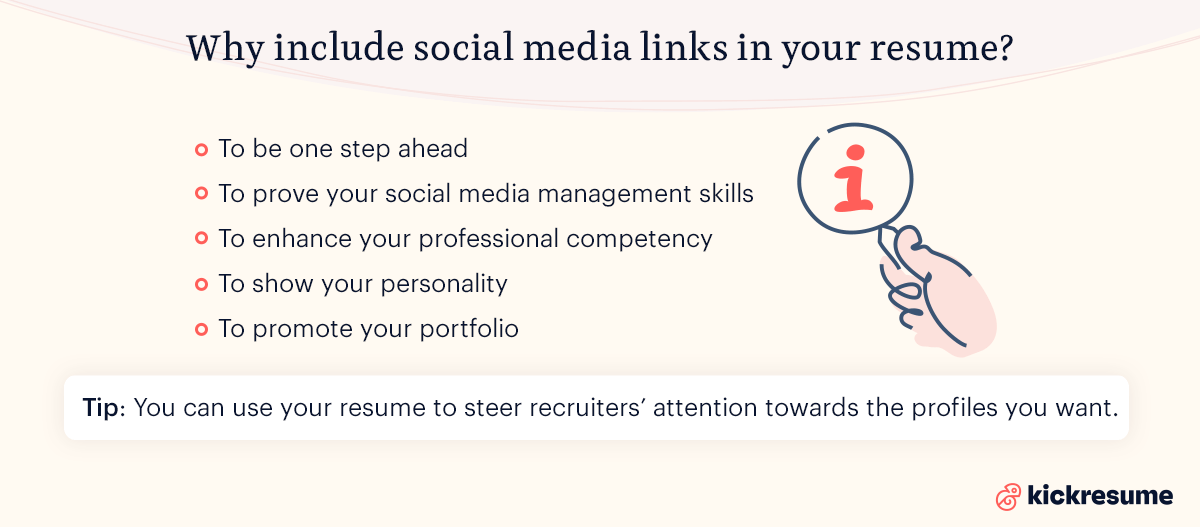
Why include social media links in your resume?
- To be one step ahead. The hiring managers will google you anyway. As you get to the last round of interviews, 67% of potential employers check your online footprint. And since your profiles are among the first things that’ll pop up, you should know how to add social media to your resume.
- To prove your social media management skills. If you’re looking for a job as a social media manager, copywriter, content creator, or any related profession, including your social media accounts is a smart way to demonstrate your skills.
- To enhance your professional competency. The purpose of your social media profile doesn’t need to be just sharing memes. You can rather post about new trends in your industry or relevant topics for your profession. In the employer's eyes, doing so enhances your level of professional expertise.
- To show your personality. It's often the case in smaller companies that even if a candidate lacks a qualification (or two), they can still become a part of the team if the employer thinks they'll fit the company culture. Your social media profiles can help them determine that.
- To promote your portfolio. Whether you're an architect, a graphic designer, or a web developer, having an online portfolio is essential. Including an interactive link in your resume is a simple and effective way to present it.
- To highlight your networking skills. For some positions, like sales or PR roles, having an extensive network and strong online presence can be a significant advantage. Including your professional social media accounts can demonstrate your ability to network and maintain professional relationships.
- To showcase your creativity and branding skills. For jobs that require creativity, such as marketing or advertising roles, your social media profiles can act as an extension of your resume, showcasing your personal brand, creativity, and ability to engage an audience.
You have full control over what hiring managers are going to see when they look you up. Hence, you can use your resume to steer attention towards the profiles you want them to see and make it your advantage.
Yet, you should keep in mind that there’s more important information on your resume such as your work experience, education or achievements. Consider adding your social media in a way that doesn't steal the attention from other, more important sections.
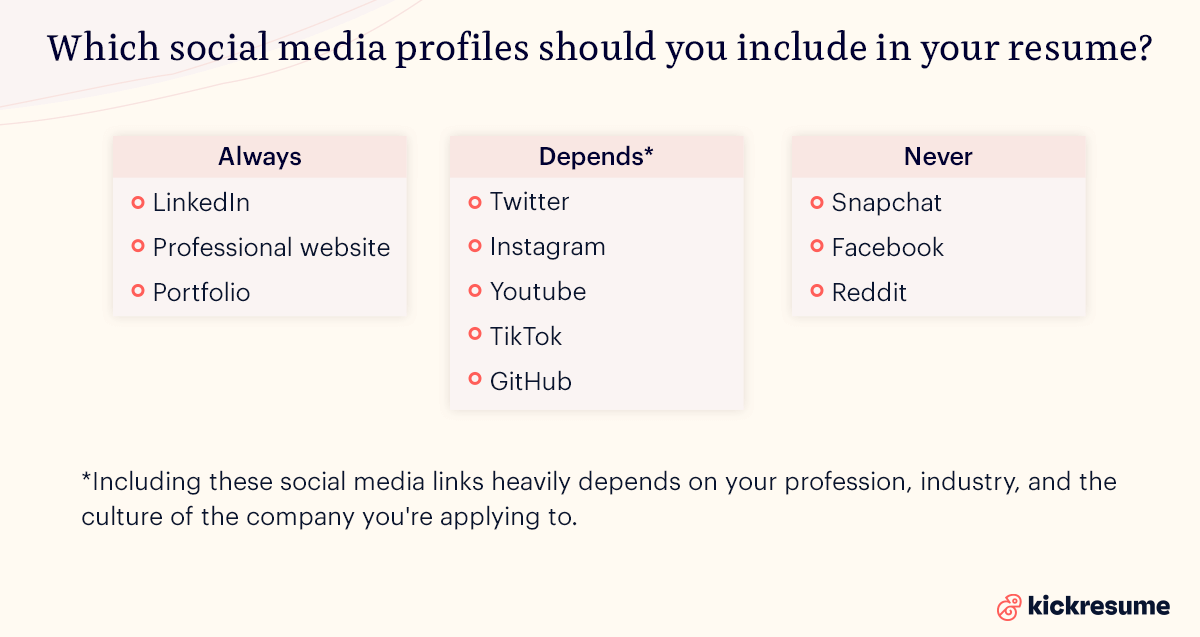
Which social media profiles should you include in your resume?
Always. These are the social media and online platforms which should always be included in your resume, no matter the profession.
- LinkedIn. Include your LinkedIn on a resume, no matter the industry. Think of it as an extension of your resume — it should contain anything you couldn’t fit on your resume due to space constraints. If you don’t have one, create it as soon as possible.
- Professional website or portfolio. Also include your professional website and/or portfolios. Creating your own website is another way to get your resume out there. If you don't have one yet, Kickresume's website builder feature lets you turn your resume into a personal website in one click.
Depends. Including these social media links heavily depends on your profession. So, let's go over them.
- Twitter. Only include Twitter if you regularly tweet about relevant trends or interesting studies in your industry. If it’s mostly for personal use, skip it.
- Instagram. IG provides a great way to build your personal brand, share samples of your work, showcase your content management skills, or do some not-so professional networking. It's no secret that the number of followers defines you in a way. This is that much more prominent in industries like marketing, social media, and content creation. Having a big following and a neat IG feed in these professions are your biggest assets, so show it off. On the other hand, if your IG is totally unrelated to your work nor does it help to show your personality in a good way — don't include it on your resume.
- Youtube. Consider including your YouTube handle in a resume if you're really proud of your channel and if it's relevant to the industry. For instance, professions like motion graphic artists, VFX artists, animators, multimedia designers, and video content creators and editors, can use their channel to demonstrate an expertise within the field.
- TikTok. TikTok’s user base is growing rapidly and it’s quickly becoming a great opportunity for creators to build their personal brand and show off their work. Designers can show their designs, stylists show off their outfits, and even teachers share snippets of their lectures. And, similar to IG, if you're applying for a marketing/social media management job and you have a big TikTok following, it'll give you an upper hand.
- GitHub. Coders and developers use this platform as a repository for code-sharing, collaborating on software projects, or code file management. Including GitHub on your resume can be one of the best ways to demonstrate your coding skills and experience to hiring managers and to differentiate yourself from other job candidates who are seeking the same position. Note: Don't share your GitHub if the projects you work on there are company restricted or confidential.
Never. As radical as it sounds, these social media platforms should never be included on your resume. Please.
- Facebook. Facebook is facing a grim future. Even though it's continuously trying to save itself, the attempts seem to be failing. That's one of the reasons why Facebook is officially a no-go zone in regards to your resume. Importantly, even though Facebook is a no-no, you should still be prepared that an employer will have a look at your profile. So, it should still either look “normal” or be completely private.
- Snapchat. Yes, you can still show your creative side on snapchat. But, the difference between other social media and Snapchat is that the sole purpose of it is to make the content disappear after 24 hours. So, it doesn't make much sense, does it?
- Reddit. It's one of the most popular websites globally providing a platform for up-to-date news and trends. In theory, it could serve as a window to your industry-related interests, however, with the constant overflow of content and noise, it's hard to keep it focused and maintain the professional nature.
Did you know that you can turn your LinkedIn profile into a polished resume with just one click.
10 Questions to ask before adding social media to your resume
We’ve talked a lot about which platforms can boost your resume and when it makes sense to include them. But what if you’re not a social media manager, a brand ambassador, or a content manager or creator — just someone applying to a regular job who isn’t sure whether their LinkedIn, Instagram, or Twitter/X is worth sharing?
Ask yourself these 10 questions to see if your profile is even shareable in the first place.
- Are all posts/photos at least PG-13 (no nudity, swearing, offensive jokes)?
- Do I avoid complaining about or mocking former jobs, bosses, or coworkers?
- Are there no posts showing illegal or irresponsible substance use (weed, alcohol, drugs)?
- Does my profile photo look professional or at least neutral (not a party pic)?
- Would I feel comfortable if a recruiter or future manager scrolled through 10 random posts?
- Are my job titles, dates, and career info consistent with my resume?
- Is the account active and not abandoned (updated within the last year)?
- Are there posts that highlight something positive about me (skills, interests, achievements)?
- Is my username/URL clean, professional, and easy to share?
- In my country/industry, is sharing this platform considered normal (and not frowned upon)?
If you confidently answered “yes” to all of them, it’s safe to consider adding. If not, leave it off your resume.
How to put social media on a resume?
There are many differing opinions and views on how to list social media on a resume which is why in this section we aim to summarize and dissect them.
Here we go:
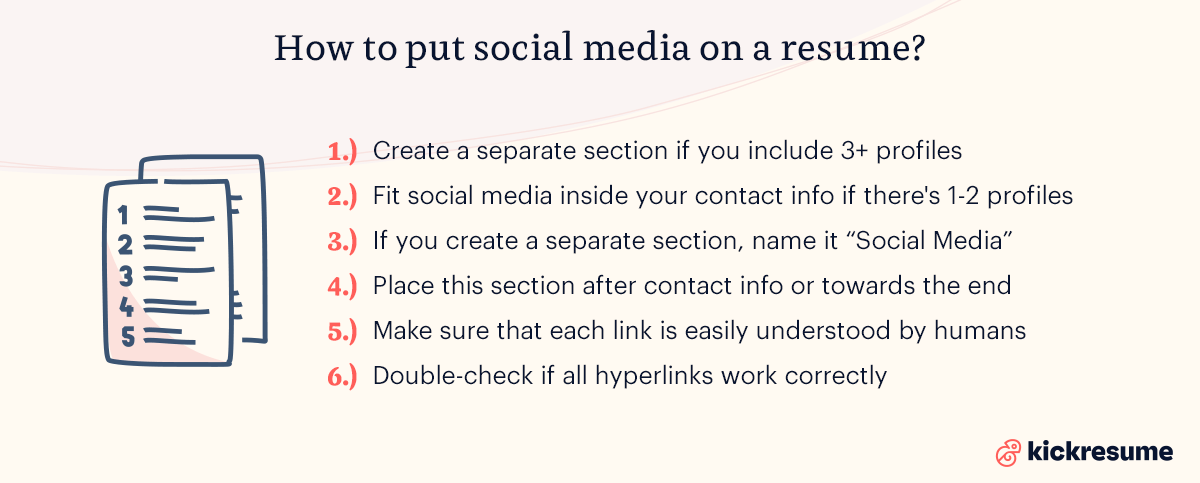
- Create a separate resume section for your social media profiles, if you're absolutely sure about the relevance of these platforms for your profession. Moreover, you should create a separate section if you want to include 3+ profiles.
- Fit the social media inside your contact information section at the top of your resume if you only want to include 1–2 profiles. If you only want to include your LinkedIn, it's also better to fit it in the contact info.
- If you create a separate section, preferably name it “Social Media”, but in some cases you can try something more catchy, like “Find me online”. We definitely don't recommend any funky headlines if you're aiming for a job in a big company or in the corporate world. Beware of ATS.
- Place this section after contact Information or towards the end of the resume, depending on the resume format you choose. Either way is good, it just depends on what you prefer. If it's really important for your profession, place it at the beginning. If it's not, it shouldn't steer attention away from more important sections and should rather be placed towards the end.
- Make sure that each link can be easily understood by humans by naming each profile in a way that helps potential employers tell which social media platform it is. Importantly: If you're only including a social media or website link to your contact info, include the short form of your personalized URL, rather than your @.
- NO: https://twitter.com/Kickresume
- YES: Twitter: @Kickresume
- YES: www.linkedin.com/in/john-snow-designer
- Double-check if all hyperlinks work correctly. Though sometimes, including hyperlinks isn't necessary provided that you include your @.
- Try using Kickresume to create your resume. Our resume builder lets you add a social media section in an ATS-friendly way ensuring optimal readability and a polished look. Plus, we’ve got icons for every major social platform out there.
Check the examples below.
Social media on a resume examples
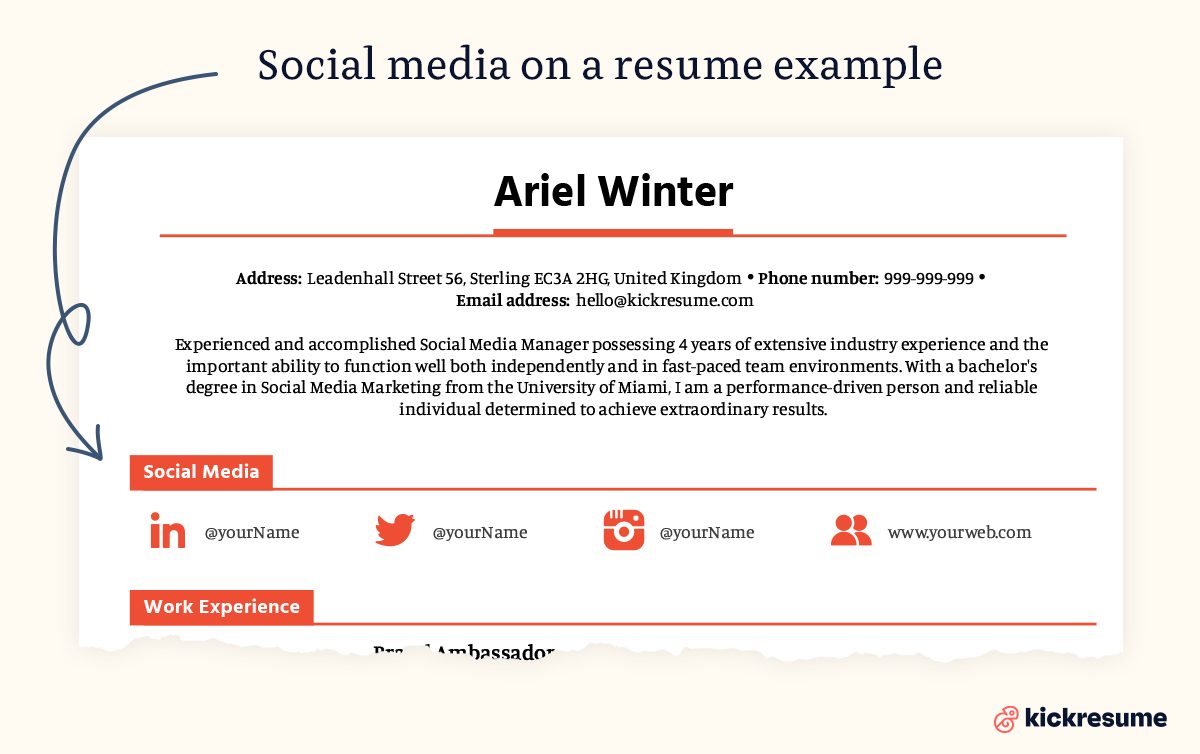
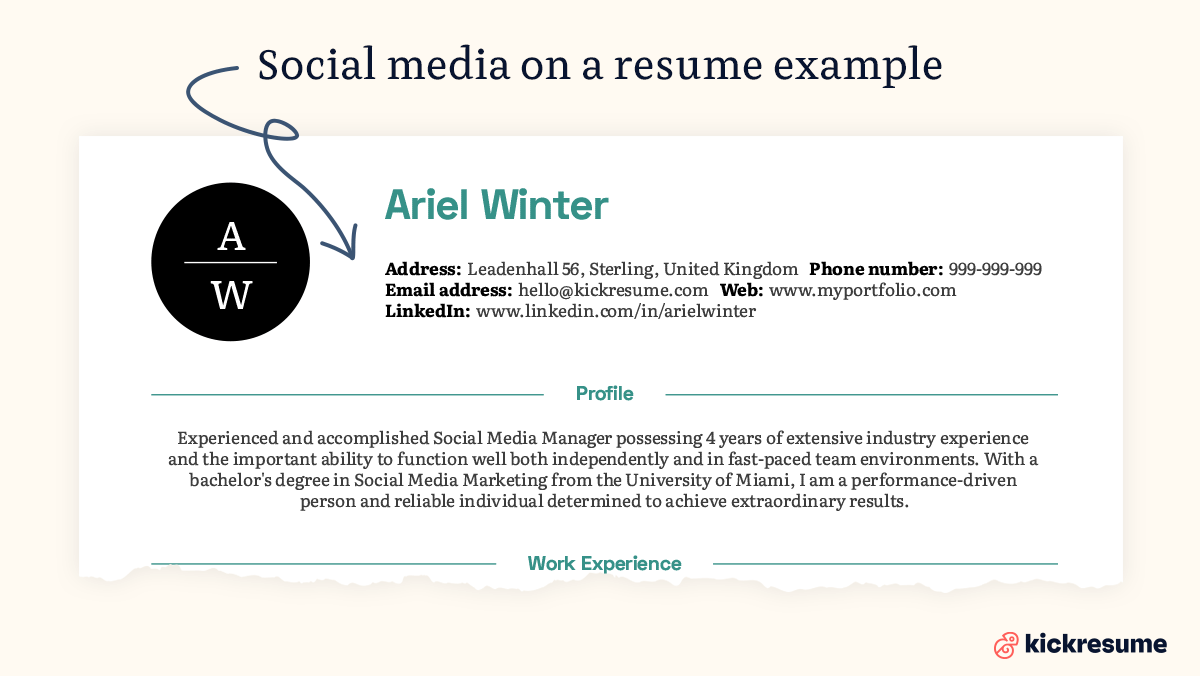
Since sometimes a picture is worth a thousand words, here are two examples of how to list social media on a resume in a neat and efficient way, utilizing all the above-mentioned tips — crafted using Kickresume.
First, an example of a separate social media section on a resume.
Second, an example of how social media can be included in the contact information section.
Why and how to put LinkedIn on a resume?
We chose to dedicate a separate chapter to LinkedIn, since this business-oriented online service has been ruling the hiring and networking world for a while now. And it’s not going away any time soon.
LinkedIn is a professional social networking platform which hosts more than 850 million professional profiles. In fact, three people are hired every minute for jobs on LinkedIn.
So, if you're asking whether you need a LinkedIn profile, the answer is yes. Even if you aren’t actively looking for a new job. And, if you don’t want to be an active user, at least don’t forget to update it anytime you have a new job, experience or achievement.
These are the main benefits of having a LinkedIn profile:
- You can find a new job. You can search LinkedIn’s job board and apply for jobs. Or even spy on companies you want to work for. Don't worry, it’s not stalking — it’s called research.
- A new job can find you. Even if you aren’t actively searching for a job, you can receive cool job offers from hiring managers. And there’s no harm in practicing your interview skills from time to time.
- Networking. You can connect with your former or current colleagues, employers, people you met at networking events or conferences. All of these connections may be helpful for your future career.
- Building your personal brand. Your personal online brand matters more than ever. On LinkedIn, you can also write your own industry-related articles and present yourself as a subject-matter expert.
- It will be easier to google you. Some employers can google you up before offering you a job. And your LinkedIn profile will most likely show up first.
When it comes to how to put LinkedIn on a resume, there's a few tips you should know about:
- Personalize the URL to make sure it doesn’t have a string of randomly generated numbers and letters before you add LinkedIn to your resume (open your web browser and go to Linkedin > Me > View Profile > Edit your custom URL).
- Include the short form of your LinkedIn URL to your resume. This means leaving out the unnecessary "https://".
- Alternatively, only include your LinkedIn name and add a hyperlink to it. However, if you're seeking a job in a big company and a little birdie tells you they use ATS, rather use the short form of your LinkedIn URL. This is due to the fact that ATS may remove the hyperlink before an employer opens your resume.
Social media skills on resume
Social media skills are becoming more and more important across tons of different jobs and industries.
Sure, they're a must-have if you're applying for a social media manager role, but they're also super valuable for jobs in digital marketing, content creation, PR, brand management, and other creative fields.
Companies know that strong social media skills can boost brand awareness, keep customers engaged, and help grow the business—so adding these to your resume can really work in your favor.
Here are some examples of social media skills which you can include in your resume:
- Social media content strategy
- Content creation and copywriting
- Social media platforms (Instagram, LinkedIn, TikTok, Facebook, Twitter/X, Pinterest, YouTube)
- Social media management tools (Hootsuite, Buffer, Sprout Social, Later, Metricool)
- Analytics and reporting (Google Analytics, Meta Business Suite, native platform analytics)
- Community management and engagement
- Paid social media advertising (Facebook Ads, LinkedIn Ads, TikTok Ads)
- SEO and hashtag strategy
- Graphic design tools (Canva, Adobe Creative Suite, Figma)
- Video editing and creation (CapCut, Adobe Premiere, Final Cut Pro)
- Influencer outreach and collaboration
- Campaign planning and execution
- Brand voice development
How to list social media skills on a resume?
If you're working in social media, marketing, or anything related, here are two ways to show off your social media skills:
1. List social media skills in the skills section
A solid skills section will show employers what you bring to the table and help applicant tracking systems (ATS) pick up on your qualifications.
Make sure to include both:
- technical social media skills (specific platforms and tools)
- strategic social media skills (like content planning and creativity) that match what the job is looking for.
2. Create a separate social media resume section
This is a great way to show your real-world experience and highlight the accounts you're passionate about.
Whenever you can, include numbers to back it up (like "Managed Instagram account with 50K+ followers" or "Grew TikTok presence from 0 to 25K followers in 6 months").
Social media manager resume example
Want to see how this all comes together? Check out the social media manager resume example below, created using Kickresume templates.
It shows you how to place your social media skills strategically, highlight relevant experience, and include those impressive metrics that'll grab a hiring manager's attention.


Final piece of advice: Social media on resume
- Clean it up. Remove any controversial or offensive content from your social media. Drunk party photos, anything controversial or negative can cost you a job offer.
- Be consistent. Keep the info on your resume and online consistent. You should always tell the truth on your resume and the same applies to your social media profiles. Make sure your resume doesn’t tell one thing and your social media profiles another.
- Use social media as your portfolio. It’s the perfect place to integrate a seamless digital brand. Are you a graphic designer or photographer? Create a professional account on Instagram and use it as your digital portfolio.
- Try to google yourself, first. And spend some time going through the results. See what employers will find when they google you up. Manage your online presence, otherwise it could cost you a job offer.
- Stay objective and professional. While expressing your personality is important, remember that your social media profiles represent you professionally when included in your resume. Therefore, you need to make sure that your posts reflect professionalism and are in line with the objectives of the job you're applying for. Stick to industry-relevant topics, showcase your work, share related news, and join pertinent discussions.
This article was recently updated. The original article was written by Nikoleta Žišková in 2021.
![How to Write a Professional Resume Summary? [+Examples]](https://d2xe0iugdha6pz.cloudfront.net/article-small-images/How_to_Write_a_Professional_Resume_Summary_.png)
![How to List Your Education on a Resume? [+Examples]](https://d2xe0iugdha6pz.cloudfront.net/article-small-images/How_to_Put_Education_on_a_Resume_.png)
![How to Describe Your Work Experience on a Resume? [+Examples]](https://d2xe0iugdha6pz.cloudfront.net/article-small-images/How_to_Describe_Your_Work_Experience_on_a_Resume_.png)