
 ChatGPT
 Perplexity AI
 Claude
Tired of filling out the same application for the fortieth time? AI auto-apply tools promise to take that grind off your plate by matching you to jobs and applying on your behalf.
We rounded up the 5 most talked-about ones, set up the profiles, and dug into how each actually works. Below is a breakdown of what each tool does, what you get for the price, and where each one shines or falls short.
Let's get into it.
What Is an AI Auto-Apply Tool?
An AI auto-apply tool takes the most repetitive part of job hunting, searching for roles and filling out applications, and hands it to an AI agent. You build a profile once (usually by uploading your resume and answering a questionnaire), set your filters, and the tool scans job boards for matches.
Depending on the tool and the mode you choose, it will either apply on your behalf automatically, or queue matches for you to review and approve before anything goes out.
Most of them bundle in extra career tools like resume builders, cover letter generators, application trackers, interview prep. But the headline feature, and the thing you're paying for, is automated applying. Now let's see how each one holds up.
1. AI Apply
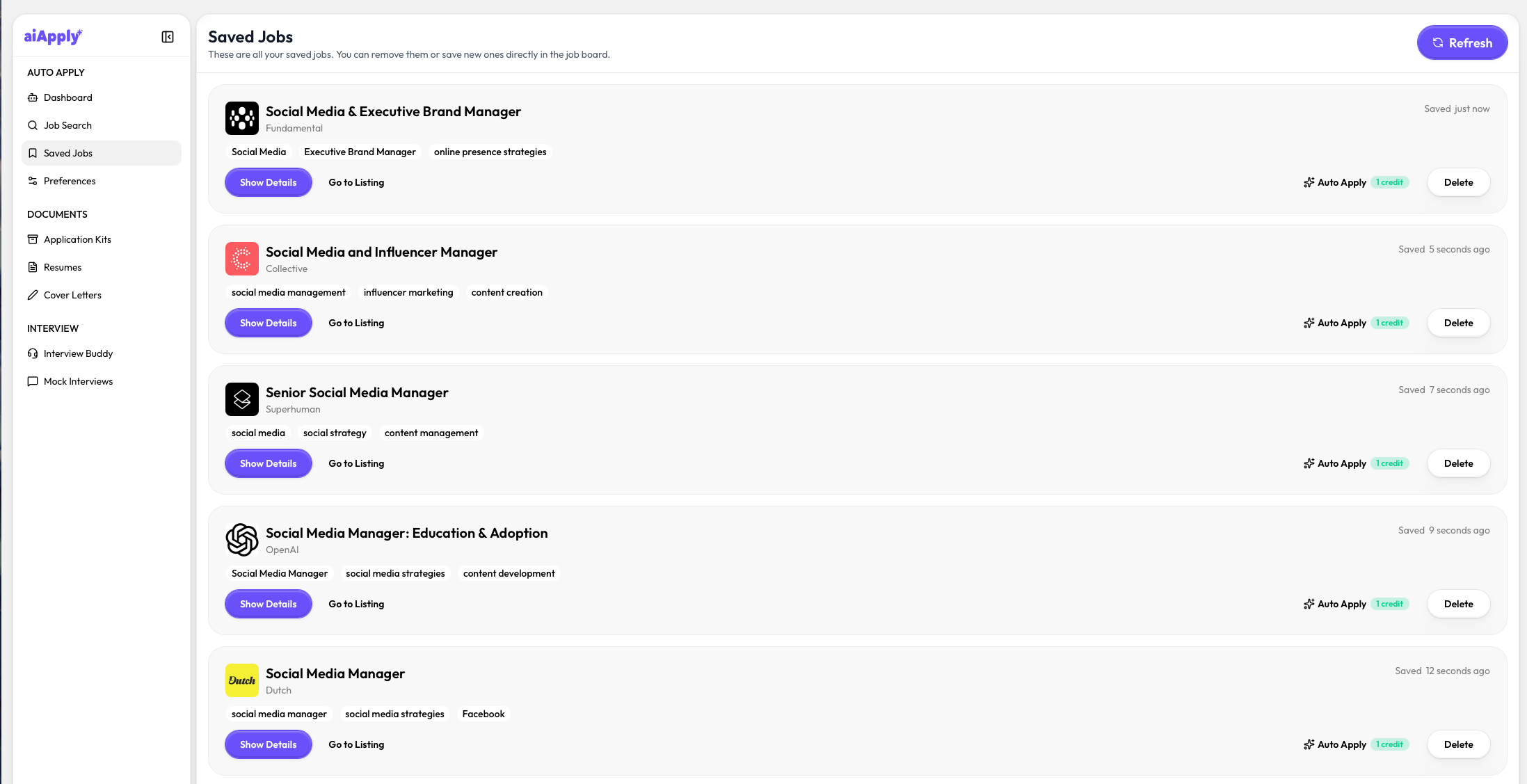
AIApply is an AI-powered job application tool designed to automate your applications and act as a virtual assistant for your job search. Its core feature is auto-apply, but it also includes a resume builder, a cover letter builder, and AI interview prep.
Signing up is quick and the interface is easy to navigate. To start the auto-apply, you complete a fairly detailed questionnaire covering visa status, veteran status, relocation cities, disability status, work type, and salary expectations. It's thorough, but that's a good thing, since it makes your job matches far more specific. The catch is that once you finish, you're taken straight to the paywall, you can still use the other tools, but the main apply feature stays locked until you upgrade.
Once active, auto-apply runs through a few modes depending on how much control you want, from a review mode where you approve matches yourself, to a fully automatic mode that applies for you daily. Depending on your plan, it applies to roughly 40 to 100 jobs per day.
Pros:
- Resume and cover letter creation. The free resume and cover letter tools are genuinely useful, even if you never pay for auto-apply.
- Multiple apply models. Between review, hybrid, and full auto, you can decide exactly how much control to hand over, whether you want to approve every match or let it run in the background.
- Clean, easy interface. The UI is modern and intuitive, and the whole setup and navigation feels smooth even if it's your first time using this kind of tool.
Cons:
- Paywall placement. You have to complete the entire questionnaire before the paywall appears, which can feel a bit like a bait-and-switch.
- Confusing pricing. It combines a toolkit subscription with separate auto-apply credits and plans, which makes it hard to work out what you'll really pay each month.
- Limited visibility. Once auto-apply is running, there's little insight into exactly which jobs went out or when, so you're trusting it to act in your name without much of a paper trail.
Pricing:
- Free: resume/cover letter builder and sample outputs
- Paid: auto-apply is a paid add-on. The paid version starts from $16/month upward, with weekly options and credit packs (e.g. $10 for 10 credits, $60 for 100). It's worth reading the checkout carefully.
2. LoopCV
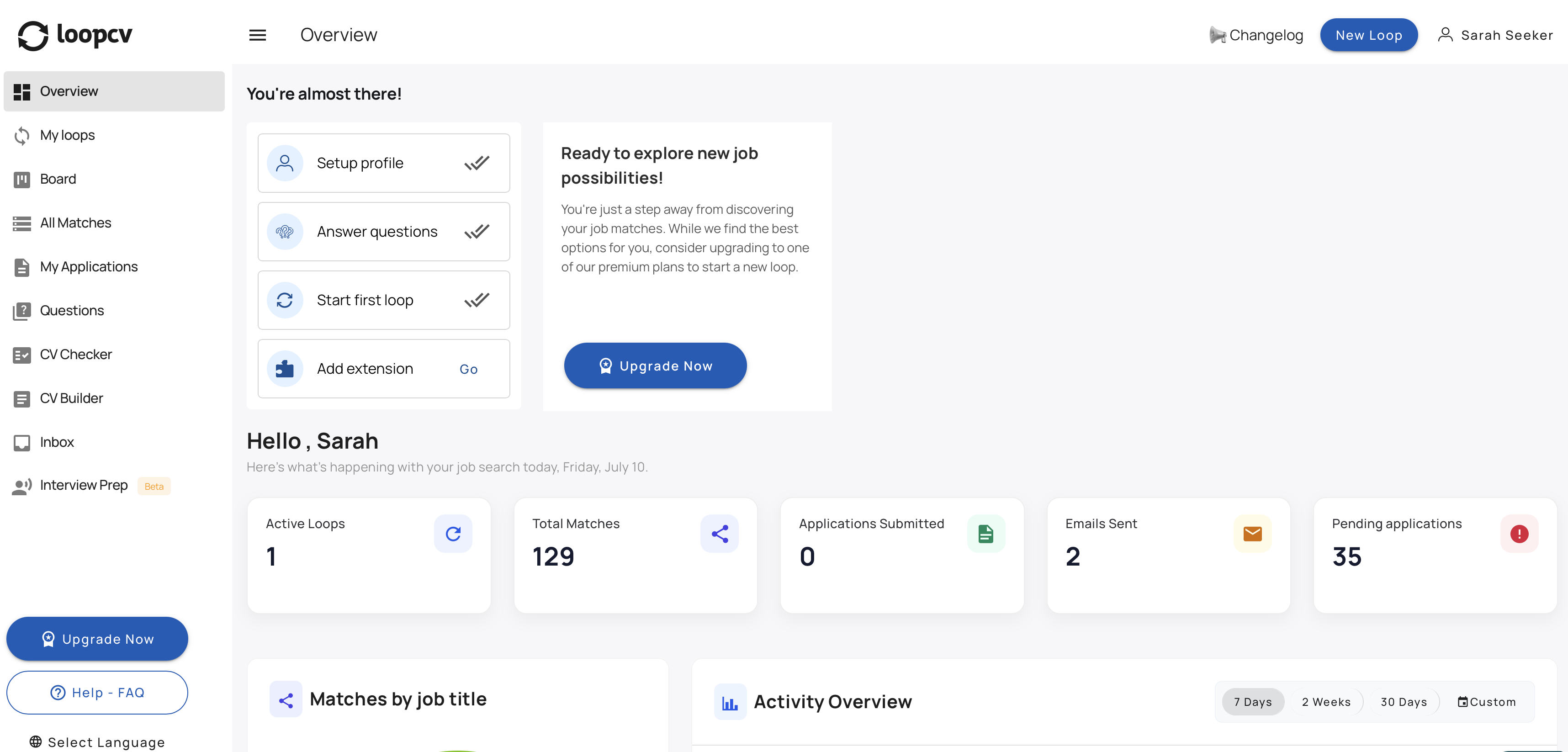
LoopCV is an AI job search automation tool that positions itself as an all-in-one platform for applying at scale. Like AIApply, its main draw is the auto-apply engine that does the heavy lifting, supported by a wider set of career tools. It searches for jobs and, depending on how involved you want to be, either applies on your behalf or leaves you in full control.
Everything is built around "loops," where each loop is a separate role or search that gathers all its matching jobs in one place. From there you can mass-apply, tailor your CV to each role, and use extras like a CV checker, CV builder, improvement suggestions, and A/B testing, with the auto-apply running through a Chrome extension.
Under the hood, LoopCV scans over 30 job boards, including LinkedIn, Indeed, and Glassdoor, matches openings to your CV, and applies for you daily, even while you're offline. Instead of a daily cap, it runs on monthly application credits that pause once you run out. The free plan covers a single loop, a few applications, and three job boards, while paid plans unlock more roles, higher limits, and the full set of boards.
Pros:
- Full control over automation. You decide exactly how much the AI does, from applying on its own to leaving every decision to you.
- Per-job tailoring. A tailoring button sits right on each role, so you can adjust your CV to a specific job without digging through menus.
- Usable free plan. The free tier actually includes some daily auto-apply, so you can try the core feature before paying.
Cons:
- Extension for some boards. Core auto-apply runs on LoopCV's servers, but applying to login-gated boards like LinkedIn and Indeed needs their Chrome extension, which adds an extra setup step.
- CV builder is paywalled. You can only create a CV once you upgrade to a paid plan, so it's off-limits on the free tier.
- Frequent external applying. Many matches send you to apply on the company's own site, which means doing a fair amount manually rather than fully hands-off.
Pricing:
- Free: limited daily applications, basic matching, dashboard access
- Standard: €9.99/month (automated daily applications, recruiter outreach)
- Pro: €29.99/month (mass apply, advanced filters, multiple searches, priority support)
3. JobCopilot
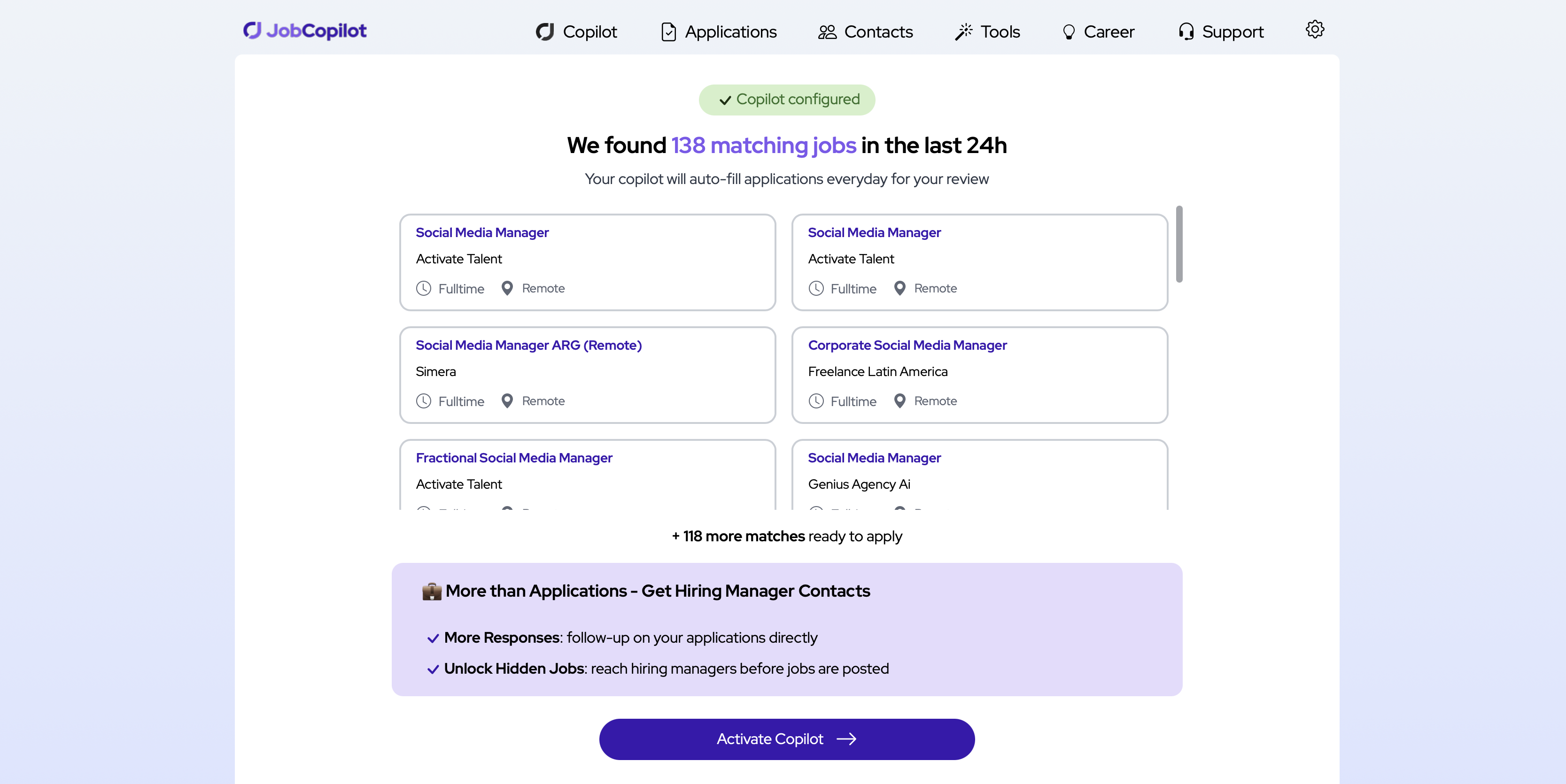
JobCopilot is another AI job application tool built around autopilot, and it covers much of the same ground as AIApply and LoopCV: it matches your profile to open roles, auto-fills the forms, and applies on your behalf. What mainly sets it apart is how much it automates and where it sources its jobs.
Setup follows the familiar pattern of creating a profile and filling in your details. One thing to note is that the paywall comes up right after the questionnaire, and there's no free tier or trial, so you can't test the tool before subscribing.
What sets it apart is its sourcing. Instead of relying on third-party aggregators, JobCopilot scans listings directly from over 500,000 corporate career pages, checking for new openings every couple of hours and applying to any live role that matches your criteria. The AI also answers screening questions for you, and you can either review each application before it's sent or let it submit on its own.
Beyond the auto-apply, JobCopilot includes a full set of career tools, including a resume builder, a cover letter builder, a job tracker, and AI interview prep, making it more of an all-in-one job search assistant than a standalone apply tool.
Pros:
- Detailed filters. A solid range of filters for job title, keywords, company size, and location lets you narrow down matches and keep the results relevant.
- Bundled career tools. Beyond applying, you get a resume builder, a cover letter builder, a job tracker, and AI interview prep, so it works as a fuller job search assistant.
- High daily volume. It applies to roughly 20 to 50 matching jobs a day depending on your plan, so it covers a lot of ground.
Cons:
- No way to test first. With no free tier or trial, you can't see the match quality or the interface until you've already paid.
- You're trusting the AI's answers. In full autopilot it fills in screening questions for you, so unless you switch to review mode, applications go out with answers you haven't checked.
- Volume over precision. Applying to 20–50 roles a day means some matches will inevitably be loose fits or near-repeats of the day before.
Pricing:
- No free tier: / no free trial (most plans carry a 7-day money-back guarantee)
- Premium: $28/month
- Elite: $31.50/month (more "copilots," up to 50 daily matches); weekly billing options also available
4. Sonara
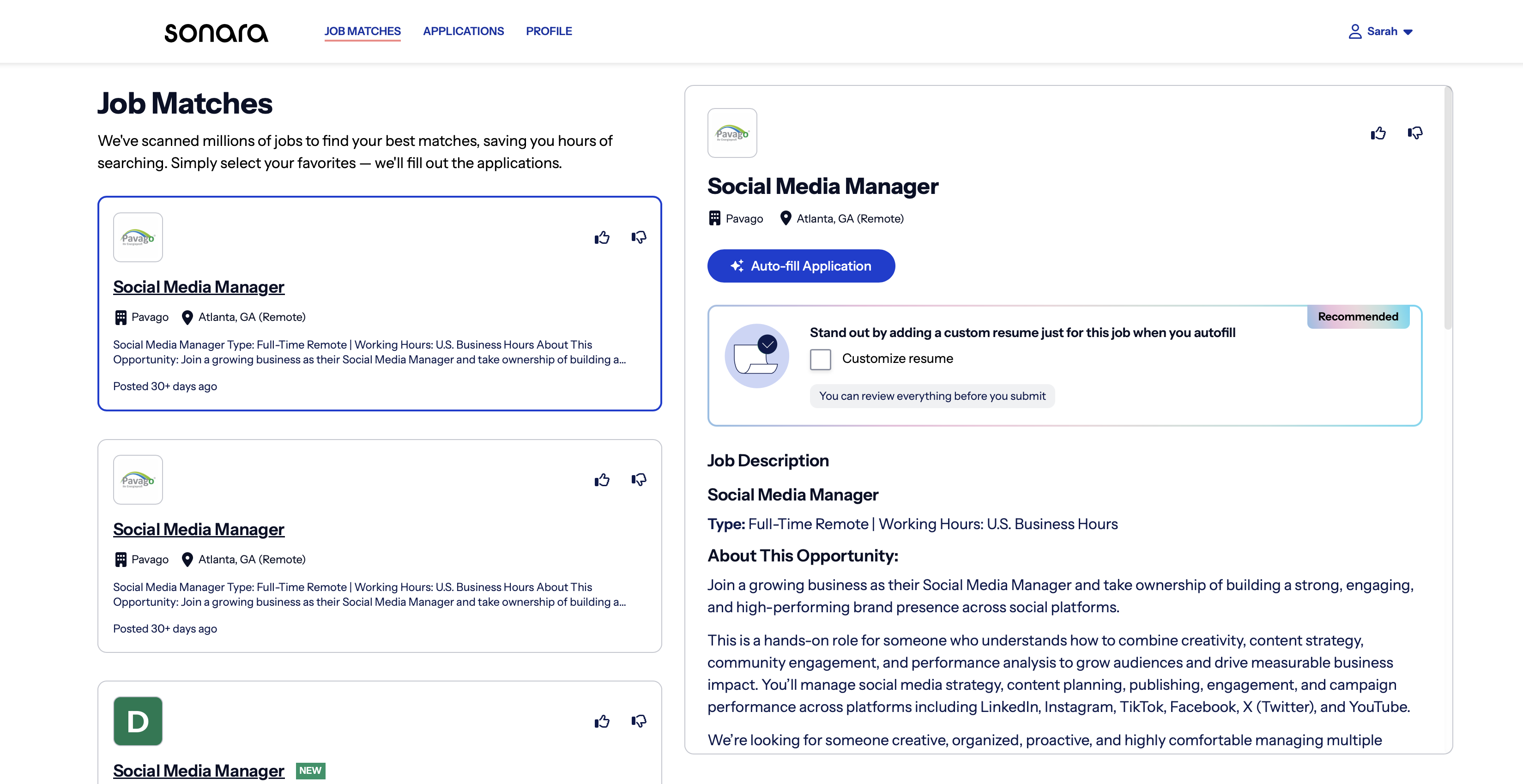
Sonara takes the most hands-off approach of the group. You upload your resume, set your preferences for role, location, and salary, and then step back completely. It scans listings and submits applications in the background, with nothing to swipe, approve, or review along the way. It's aimed at people who want to set their search going and forget about it.
Everything it does shows up in a dashboard organised by status, so you can see applications marked as Prepared, Ready to Send, In Progress, or Sent. The platform says it can submit more than 100 applications a week. This platform leans fully into autopilot rather than giving you a review step. It's also paid-only, with no permanent free tier, just a low-cost trial that rolls into a monthly plan, so you can't try the core feature for free the way you can with LoopCV.
Pros:
- Fully hands-off. You set your preferences once and Sonara applies in the background, with a clean dashboard to track where each application stands.
- Easy setup. It's built to be set-and-forget: you give it your resume and preferences once, and there's nothing else to manage.
- Cheapest annual option. At around $5.95/month billed yearly, it's one of the lowest annual prices in the category.
Cons:
- Matching quality varies. A common thread in reviews is applications going to roles that feel off-target.
- US-only. Every location it covers is a US state, so it's not useful if you're searching outside the States.
- No review step. Because it's full autopilot, you don't see jobs before they're submitted in your name.
Pricing:
Free: $0 (basic matching, around ten matched roles a day)
Turbo: $29/month (roughly $20/month billed annually), unlocks unlimited applications and the full AI toolkit; weekly and quarterly billing options also available
5. Jobright
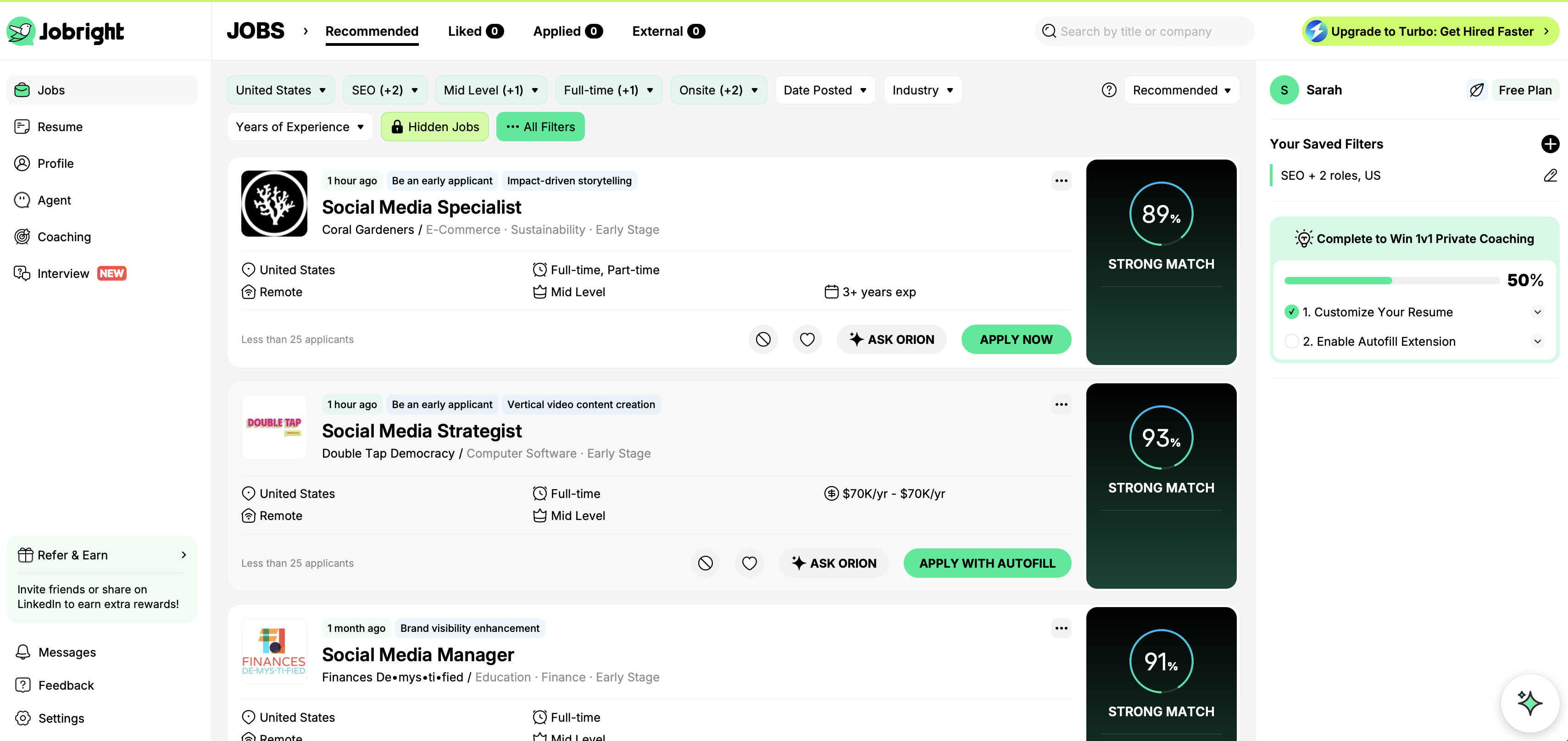
Jobright positions itself as an all-in-one AI job search copilot rather than a pure apply bot, covering the whole pipeline from finding roles to tailoring your resume to submitting. It's built on a large database of live listings and leans heavily on AI matching to rank openings against your profile.
Setup is the familiar routine of uploading your resume and setting your preferences, including role, location, salary, and work type.
That's where you first encounter Orion, a friendly bird-shaped AI copilot that guides you through the process of setting up your profile.Orion also doubles as a career coach, you can ask about specific roles, salary, or interview prep, and you can start using it on the free plan, though the free tier runs on daily credits that cap how much you get before they reset or you upgrade.
Beyond auto-apply, it packs in a solid toolkit: an AI resume builder, a one-click autofill Chrome extension, a conversational assistant called Orion for tracking and refining applications, an Insider Connections feature that surfaces referral contacts, and filters like an H1B option for work authorization.
Pros:
- Orion assistant. Orion is a conversational assistant that works like a career coach, helping you find matches, track applications, and refine them through plain conversation.
- Usable free tier. You get around ten matched roles a day without paying, so you can test the matching quality before committing, which not every tool here allows.
- Strong AI matching. It ranks openings against your profile and generates a tailored resume version per posting, which helps with ATS screening rather than just blasting the same CV everywhere.
- All-in-one toolkit. Beyond applying, the Orion assistant, Insider Connections for referrals, and work-authorization filters make it feel like a full job search hub.
Cons:
- US-only listings. Jobright only lists US roles, so it's no help if you're searching elsewhere.
- Free credits run out fast. Orion and the other tools run on daily credits that cap quickly, so you hit the paywall once you want to use them at any real volume.
- Relies on LinkedIn. Jobright leans on your LinkedIn profile to sign up and power features like Insider Connections, so if you don't use LinkedIn or keep it updated, you're at a disadvantage and can't really get the full experience.
Pricing:
- Free: $0
- Premium: $23.99/month (or $14.41/month billed annually)
- Premium Plus: $44.99/month (adds mock interview simulator and analysis)


![How to Write a Professional Resume Summary? [+Examples]](https://d2xe0iugdha6pz.cloudfront.net/article-small-images/How_to_Write_a_Professional_Resume_Summary_.png)

![How to Describe Your Work Experience on a Resume? [+Examples]](https://d2xe0iugdha6pz.cloudfront.net/article-small-images/How_to_Describe_Your_Work_Experience_on_a_Resume_.png)