

 ChatGPT
 Perplexity AI
 Claude
Want to stand out from the crowd and get more job interviews? Depending on your industry, learning how to make a good video resume might be the way.
That's because a video resume or video CV can allow you to highlight sought-after personality traits, such as charisma, humor, and confidence, which don't often come across in a traditional resume.
If you have such traits and want to learn how to make a video resume, then this article is perfect for you.
Start with an engaging video introduction, get inspired from video ideas and create a job landing video profile!
What is a video resume and when to use one
Video resumes are more akin to a cover letter than a resume and should really be called video cover letters.
They are mostly used by those in creative professions, as it's a perfect way to demonstrate talents that would otherwise be hidden on a traditional resume. If your field of work requires strong communication skills, then a video resume might be a great way to showcase them. However, it's important that you read the room properly and that you're sure that a video CV is actually appropriate for the occasion.
As a video CV is normally kept short and it's an entirely different medium, there are a few video resume pros and cons.
Pros
- Soft skills such as communication skills are put on display
- Hard skills such as video editing are also showcased
- Uniqueness can give you an edge against an equally qualified
- Shows dedication
While a video resume can help you show creativity and stand out, it might not be welcomed in every industry or by every employer.
Cons
- Not able to cram as much information
- Time consuming
- Can open you up to discrimination
- Not ATS-friendly
Related: Recruiter Reveals: Video Resumes, Pros and Cons & How to Make One
How to make a good video resume
Let's get the big red elephant out of the room first - a badly done video resume will kill your chances of getting hired.
If you're to create a half-baked video resume, then stop here and just submit a regular resume. It's often the best option anyways.
However, if you think your qualities will shine through in a video and are applying to an industry where a video CV can work, such as the entertainment, marketing, and design industries. Then let's continue.
Just follow these 6 steps when creating your video resume:
1. Test your equipment
A clear picture and excellent quality audio is a must if you want to create a professional looking video.
2. Create a script
The last thing you want to be asking yourself while filming your video CV is, "what should I say in a video resume?". Plan before you begin recording, create a script, but use it more as a guide and avoid reading it word by word.
As to what you should say in a video resume, it will depend on your industry. However, try to highlight personality traits which are otherwise hard to showcase on a traditional resume.
3. Dress appropriately
Although you want to show off your personality, try to keep your attire on the formal side. Treat it similar to a virtual job interview. No pajamas or stained/wrinkled clothing, etc.
4. Don't recite your resume
A video resume is its own kinda beast. If you have nothing extra to show on one, then just send in your resume and call it good. Simply reciting your resume verbatim is likely to be a detriment to you instead of a plus.
5. Rewatch your video
It's important that you don't have any inconsistencies when submitting your video resume. Further, it's easy to miss our own mistakes, if you can share it with a friend or family member. Even better, if you have a job mentor to share it with.
6. Edit your video
You want to make sure you cut any distracting noises or empty moments from your video. Now, how long is a video CV? Try to keep it between 90 seconds in length. There are many tutorials online that can help you make a professional-looking video edit. Also, some tools focus primarily on extra features, for example a video caption generator, to make the video more accessible and add a professional touch.

What should I say in a video resume?
Now that you know the practicalities on how to make a video resume, it's time to move on to the most important question, "What should I say in a video resume?".
Apart from highlighting your personality traits, it's important to have a clear message in mind when creating a video CV.
Knowing what you need to say is more akin to knowing what they need to hear. This is the key to creating a sound video resume script and an overall great video resume.
You can do so by dividing your video into these 5 parts:
- Self-introduction. Your name, the position you're applying for and experience level. Something as simple as, "Hello, my name is Matt and I'm a graphic designer with 7 years of experience in the travel industry" should be enough.
- Say why you're applying for the position. Tell them why you're interested in the role you're applying for and show your passion for the job. Make it specific, not generic.
- Include key accomplishments. Give a quick summary of relevant accomplishments throughout your career. Keep it brief (1-2 achievements) and make sure to quantify your accomplishments.
- Add recommendations (optional). If you have good feedback from previous employers or clients, use a snippet as proof of the expertise and accomplishments you just mentioned.
- Closing. Re-iterate why you're interested on the position and re-share your contact information. Try adding this information on the screen, as it can be easily removed when uploading it publicly".
In the end, your script should look something along these lines:
Video resume script example
Hello, my name is [your name] and i’m a [job title] with [X] years of experience in the [job industry].
I’m applying for the [job position] role at [company name] because I believe my core values and skills align perfectly with what [company name] is searching for.
I’ve had a passion for [your career field] for as long as I can remember and have pursued this passion by volunteering at [name of organizations], getting a degree in [career role], [list certifications], as well as many personal projects, such as [list related personal projects].
Also, apart from meeting the requirements for the position, I can also bring other skills that are sure to benefit [company name] bottom line.
For example, [list of relevant quantified results and accomplishments throughout your career].
Honestly, as you can see from the video I get excited from just talking about the possibilities of working for [company name]. It has always been a dream of mine.
Thank you so much for your time, and am looking forward to hearing from you.
Great video resume examples
Of course, a script is not enough when we're talking about video resumes.
Here are 5 great examples that will fuel your inspiration:
1. Visual designer video resume example
2. Internship video resume example
3. Student video resume example
4. Creative and entrepreneurial video resume example
5. Film maker video resume example
As you can see from these examples, some careers are a better fit for a video CV. However, regardless of your career, so long as you have qualities that shine through on a video, you should be good to go.
More video resume tips
One thing to note is that even if you decide to create a video CV, it's important that you always accompany a video resume with a traditional resume.
Other video resume tips to keep in mind are:
- Use a video resume maker: Seriously, unless you're a designer, using a tool specifically made for video resume is the way to go. The last thing you want to do is show your potential employer your bad editing skills.
- Talk clearly and slowly: Yes, you'll have less to say because of this. You just have to make sure you only add the best bits of information.
- Understand company culture: This is important because the overall tone of your video should change depending on the company and career field. Hard to keep an overly enthusiastic tone when you're applying as a data analyst. It just wouldn't be genuine.
- Add background music: I mean, don't add anything with vocals as it will distract from your voice. But adding a mellow background can help eliminate unwanted background noise.
And lastly, prepare, prepare, prepare. Create that script! Can't emphasize this enough.
Try our AI Resume Writer and have your resume ready in minutes!

Best video resume websites, editors and apps
There are a plethora of video CV applications on the web. Yet, not all are created equal.
Some are clunky to navigate, others overpriced and many of them are jacks of all trades that excel at nothing.
And as you're aware, you might only get one chance to impress an employer. Hence, it's important that you have the right software for the job.
Here are 10 of the best video resume apps that will ensure you ease of use so that you can concentrate on the actual message :
Also, apart from these video resume editors, remember that in a creative field, many things are valid. You can even use your social media accounts, such as Instagram, Snapchat, or TikTok to deliver a job landing video resume.
TikTok resume
It's always good to keep up with the times. Just a few months ago the new social media giant launched a pilot program designed for recruitment and job discovery called TikTok Resumes.
TikTok teamed up with companies such as Chipotle, Target, Shopify and many others to invite job seekers to apply for entry-level to experience-level positions through its platform.
What a great way to showcase your creative video resume.
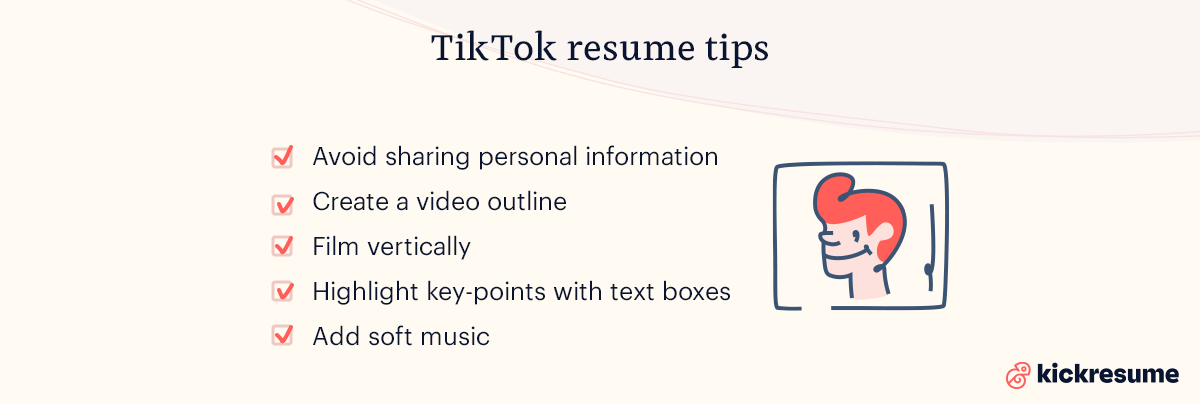
Here are a few TikTok resume tips if you decide to go the TikTok route:
- Avoid sharing personal information
- Create a video outline
- Film vertically
- Highlight key-points with text boxes
- Add soft music
Oh, and don't forget to use #TikTokResumes in your caption when publishing it.


