


 ChatGPT
 Perplexity AI
 Claude
In a job market that feels more unpredictable than ever – marked by tech layoffs, federal hiring freezes, and global price swings – it pays to be prepared. Whether you’re actively job hunting or just thinking ahead, now's the time to get serious about your personal brand and invest in a resume website.
This means going beyond what’s written on your resume.
While your resume offers a glimpse at what you’ve accomplished over the years, a website provides proof. It paints a fuller picture of who you are and what you bring to the table.
Let’s walk through how to build a resume website that works.
Step 1: Map out your career goals and personal brand
Before you build anything, pause for a sec. Ask yourself: What do I want this website to help me do?
- Move up in my current career?
- Pivot into a new field?
- Get more freelance clients?
- Maybe a little bit of everything?
The answers to these career planning questions matter and will shape your entire website, from the tone of your writing to the work you choose to highlight.
Your website should ultimately support your personal goals, not just regurgitate what’s on your resume. It’s a place where you can show what you’re capable of.
For example, if you’re trying to pivot into a new industry but your resume is light on relevant experience, your website can help fill that gap. It shows what you can really do by featuring projects, case studies, or personal work that proves you’re qualified, even if the work wasn’t for a paid gig.
So, if your day job is fundraising for a nonprofit but you want to break into photography, a website can serve as a compelling visual portfolio. It can showcase shoots you’ve done for events, friends, personal projects, or even a photography course.
Try our AI Resume Writer and have your resume ready in minutes!

Step 2: Decide on key pages to include
There’s no definitive rule for what pages you should include on your website. Your goals should drive your site’s structure. For example...
If you’re job hunting
If you’re looking for a new gig (and don’t want to tip off your boss) we recommend sticking to a simple, streamlined website that highlights your experience and makes it easy for people to get in touch.
You’ll probably want to include pages like:
- Home. Include a quick overview of who you are. Think of it as your elevator pitch in web form; keep the copy clear, focused, and compelling.
- About. Add your bio, headshot and a link to your resume. Hiring managers want to know who you are beyond your bullet points. Use this space to share your story, values, and a few words to describe yourself.
- Portfolio. This is where you can show off relevant work, in addition to providing extra insight into your thought process and efforts behind a project.
- Resume. Embed your resume or a downloadable PDF so it’s easy for hiring managers to reference.
- Testimonials. Just like on LinkedIn, where colleagues and clients can leave recommendations – testimonials on your website can help build credibility fast.
- Contact. Provide your email address or, better yet, a contact form (which is great for reducing spam).
If you’re making a career pivot
Remember that a personal website is a place where you control the narrative. In this vein, the best portfolio websites connect the dots between where you’ve been and where you want to go.
They may, therefore, include these pages:
- Home. Set the tone. Briefly introduce who you are, where you're headed, and what kind of work you're looking for (e.g., “Aspiring UX designer with a background in teaching”).
- About. Tell your story in a way that connects your past to your future. This is where you can show how your background makes you a strong candidate, even if it’s not linear.
- Projects. Prove your skills through relevant work, even if it’s unpaid or self-initiated. Include personal projects, freelance work, coursework, or volunteer projects. Emphasize the process and results.
- Blog. Share more about your journey into this new field. A blog enables you to share what you’ve already learned or tested – and help hiring managers see you as a budding thought leader.
- Contact. Keep the door open for any and all opportunities by including an email address or contact form directly on your site.
If you’re freelancing
If you’re looking to adopt a new side gig and strengthen your skills in a particular space, your website can serve as an always-on source of leads. In this context, it helps to have these pages:
- Home. Quickly share who you are, what you do, and who you help. There should be very little confusion over the type of work you’re looking to take on.
- Services. Clearly define what you offer and what you don’t. List essential details – like price ranges, preferred projects, and turnaround times – which can help pre-qualify leads.
- Past work. Only include projects that align with the kind of work you want to attract. If you’re new to freelancing, show off personal projects or past work from your full-time role (if allowed).
- About. Help clients get a sense of who you are as a person. You can help set expectations by mentioning that you work full time and sharing why you choose to freelance.
- Contact. Ask key questions upfront through a custom contact form. For example, you can ask leads to share details about the project they need help with, ideal timeline, budget, and/or how they heard about you.
- FAQ. Answer common questions (such as about your rates, timelines, and how you work) up front to help filter out projects that are a poor fit.

Step 3: Get building
Now that you’ve mapped out your site, it’s time to get building. There are many routes you can take at this point: hire a web designer, use a website builder, or develop something from scratch.
If you want something quick and easy on the wallet, a website builder is your best bet. Most website builders offer templates that are already designed for your industry and include the pages you need to put your best foot forward.
Others include more advanced tools for customizing your site. For instance, Wix’s AI website builder can design a bespoke website for you from the get-go. It’ll ask a few questions about your business and goals, before generating a website that’s complete with custom text and images. The builder also includes an AI portfolio creator that can swiftly organize multiple images, titles, and descriptions for your portfolio.
As you decide on the best website builder for you, make sure to find one that’s both intuitive and flexible.
Step 4: Make it yours
The most important thing to keep in mind while building your website is that it should reflect who you are professionally. After all, before anyone reads a single word, your site’s design is already speaking for your skills.
For that reason, you’ll want to pay attention to these design tips:
- Think branding. Just like creating a brand for a professional company, pick a color palette that represents you and stick to it. Limit yourself to one or two distinct fonts on your site. And yes, go ahead and create a logo if you want.
- Emphasize key points. “Emphasis is like when you highlight a line of text,” says Yiftach Koronio, Wix’s head of social and lead designer. “It’s trying to put the attention of the viewer on what you want them to look at.” Use visual hierarchy, contrasting colors, and other cues to draw visitors to the most important information.
- Showcase your best work first. Lead with your strongest projects or achievements. Think quality over quantity, as fewer high-quality examples can leave a bigger impression.
- Show off what makes you different. Tell a story with your copy and images. Mention what inspired your career shift (if applicable) or what continues to fuel you. Highlight your “why.”
- Optimize for mobile. Don’t neglect the mobile experience. Make sure everything looks and works as it should on a smaller screen.
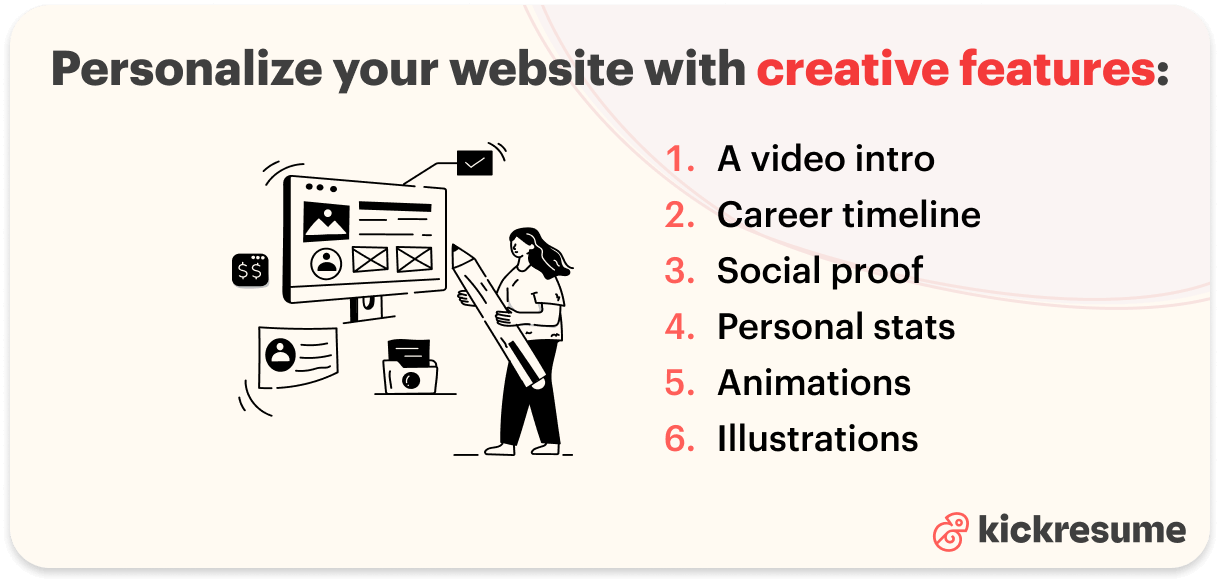
In addition to these tips, these creative features can add some extra flair to your site:
- A video intro. Record a short welcome video introducing yourself. If you work in a creative field, share clips of yourself at work. For instance, if you’re a ceramicist, upload a video of yourself throwing clay at the wheel. If you’re a video editor, share your sizzle reel. If you’re a musician, upload a video of you rocking out on stage.
- Career timeline. Walk visitors through your career journey in a visual way. Show how you got to where you are today with compelling graphics.
- Social proof. Prospective clients and employers are more likely to trust feedback from previous clients and employers more than your own claims. Don’t know where to start? Add recommendations you’ve received on LinkedIn to your website.
- Personal stats. Show the receipts. Mention how many clients you’ve helped, awards you’ve picked up, or how long you’ve been working in a given industry (as ideas).
- Animations or illustrations. These creative touches can illustrate abstract concepts, breathe life into dry topics and add oodles of personality to your professional website.
Remember that every feature of your website should support your career goals. Don’t add special effects or a wacky cursor just to impress. These elements may end up distracting from what matters the most: showing you’re the right person for the job.
Step 5: Link your website to your resume
You’ve worked hard to build a website that brings your skills and work to the forefront. Now, you have to make it impossible to miss. Make sure that your website is easy to find by:
- Adding the URL to your resume
- Including a QR code on printed resumes or business cards
- Mentioning your website in your cover letter and follow-up emails
- Adding a link in your LinkedIn featured section
Step 6: Promote your website like a pro
Just like any website, your portfolio isn’t going to sell itself. Proactively get your website in front of people by tapping into things like search engine optimization (SEO), social media marketing and paid promotions.
SEO
Use keywords that match what people in your field might search to find someone like you. Think phrases like:
- “Social media manager in Austin”
- “Junior UX designer portfolio”
- “Freelance copywriter for wellness brands”
Weave in your target keywords as naturally as possible throughout your website. It’s especially important to include keywords in your headlines and image alt text to boost SEO and accessibility.
Social media
Post about your website on LinkedIn, X, Instagram, or industry-specific platforms like these:
- For developers: GitHub
- For designers: Behance or Dribbble
- For writers: Medium or Substack
At minimum, link to your professional website in your bio, profile, or “About” section on these platforms.
Paid promotions
If you’re a freelancer launching a portfolio website and have a marketing budget to play with, try running ads to get clients’ attention. Start by dedicating a small portion of your budget to ads on Meta, LinkedIn, or Google Ads and invest more into the channels that give you the best return.
Final thoughts for creating a resume website
A great resume opens doors. A professional website kicks them wide open.
In a competitive job market, you need every advantage. And with tools that make building a website so easy, there’s no excuse not to have one.
Take the first step in landing your dream opportunity by building your professional website.